For a busy club like Sydney Cycling, there are multiple rides scheduled each week and hundreds of members who want to know what’s happening. A scattered, unorganized approach to scheduling just won’t work. They need something with structure for keeping rides categorized, but user-friendly and flexible enough to manage easily. Plus they need a secure way to let members share their own rides with each other. Here’s how they use Teamup to keep things rolling.
Why scattered ride scheduling falls apart
Cycling clubs often tend to collect tools over time: a Facebook group for weekend rides, a Google Sheet for racing dates, a website “What’s on” page that only gets updated before a big tour. At first it feels flexible. Then it becomes overwhelming and confusing. Updates are scattered in different places, and people aren’t quite sure where to get the official, accurate event details.
Adding another layer of complication: Members want to organize and share their own “unofficial” rides. These club members coordinating member rides may not be volunteers with access to manage the calendar. But the club wants to help support and promote member rides, too. Letting each member submit their ride info can quickly turn into a lot of work for admins. Plus, if the time or location changes for a member ride, there’s a whole cascade of communication required for a simple update.
What’s needed is single, trusted calendar everyone can check, that has enough structure to keep things organized and a way to securely add member-submitted rides.
How Sydney Cycling uses one shared calendar
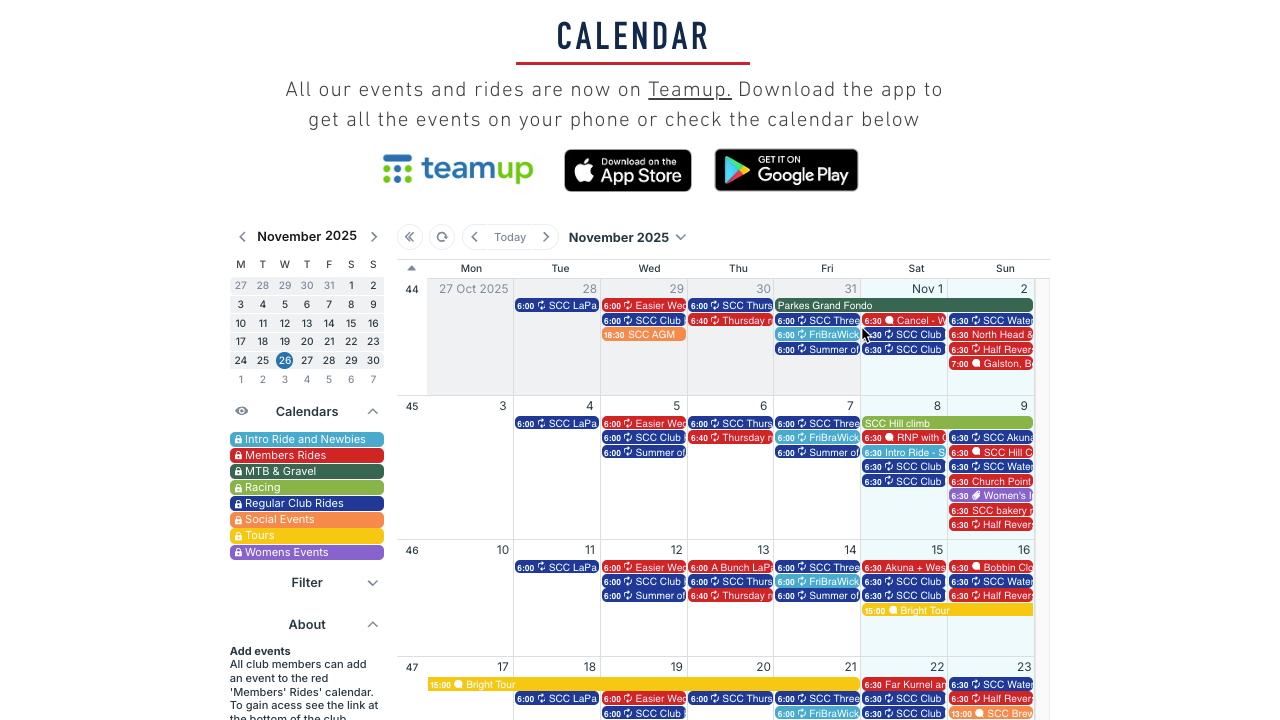
Click to enlarge: The Sydney Cycling Club has their calendar embedded on the club website.
A single shared calendar gives the whole club a common reference: what’s happening, where, and with whom. For Sydney Cycling, an embedded Teamup calendar works beautifully. Every ride — training, social, intro, touring, racing — feeds into the same calendar. Members can check the calendar on the club’s website or open it in the Teamup mobile app. Updates to the calendar sync automatically.
Members can even share their own rides and invite others to join: There’s a designated sub-calendar set up with special access that prevents accidental changes to other events on the calendar. This unified setup removes admin overhead and makes accurate event information easy to find for everyone.
How to set it up
🚴🏽♂️ MINI GUIDE
- Create sub-calendars for each ride type.
- Set up color-coded sub-calendars such as Training rides, Intro rides, Tours, Races, and Social events.
- Embed the calendar on the club website.
- Use Teamup’s Embed Wizard to insert the calendar on a Rides or Events page.
- Choose a view that suits how your members browse, such as an agenda-style list of upcoming rides or a monthly grid.
- Standardize event details for every ride.
- Configure event fields as needed; enable map integration on location fields so addresses open directly in mapping apps.
- Add custom fields to capture other details like route link, distance, elevation, meeting point, expected pace, and ride leader.
- Let members submit events.
- Create a designed sub-calendar for Member Rides.
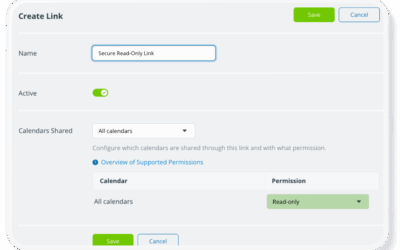
- Share a customized calendar link that lets members add events only to the Member Rides calendar.
- Use event signups where headcount matters.
- Enable signups for rides or social events where you need to cap numbers or plan catering.
- See an example of event signups for club events.
- Encourage members to use the mobile app.
- Share the Teamup app links and secure calendar link so riders can check the latest information on the way to a ride, not just at home. Make the embedded calendar and the app the default place to look for ride details.
- Promote individual events as pages.
- For special rides or social nights, use event pages to share and promote the event in newsletters or social media. Members and guests land on one page with up-to-date details rather than on an outdated flyer.
A simpler way to keep a cycling club in sync
An organized club calendar makes everything simpler. An embedded Teamup calendar, like the one used by Sydney Cycling Club, brings rides, races, tours, and social events into a single, shared view that works on the club website and on every rider’s phone. It changes how clubs operate, making it faster for volunteers to get things organized and easier for member to coordinate with each other.
Related resources
- Check out BSA Chief Seattle Council’s embedded calendar on their website and how they encourage members to use the Teamup app for on-the-go access.
- See how to customize the look of an embedded calendar with link parameters.
- One calendar, multiple views: Motorsport Australia embedded multiple regional views of their events calendar.
- ▶️ Interactive demo: How to Use the Embed Wizard
- ▶️ Interactive demo: Let Members Submit Events
Give it a try: Set up a club calendar to keep your club organized while you focus on the road ahead.