In large public sites such as historical parks, museums, and educational campuses, dozens of staff members coordinate events, tours, and daily operations across multiple buildings and outdoor spaces. Facilities teams already use the shared operations calendar to see upcoming reservations and events so they can prepare spaces in advance and schedule maintenance at the right times. But communication needs to work in both directions. Here’s how to enable two-way communication between staff departments so everyone stays informed and conflicts are avoided.
The need: Facilities staff at public-facing sites can use Teamup to stay informed about what’s happening across the whole site. But they also need a reliable way to alert staff when a building, area, or resource becomes temporarily unavailable. Plus, it’s important to automatically prevent events from being scheduled at areas while they are closed.
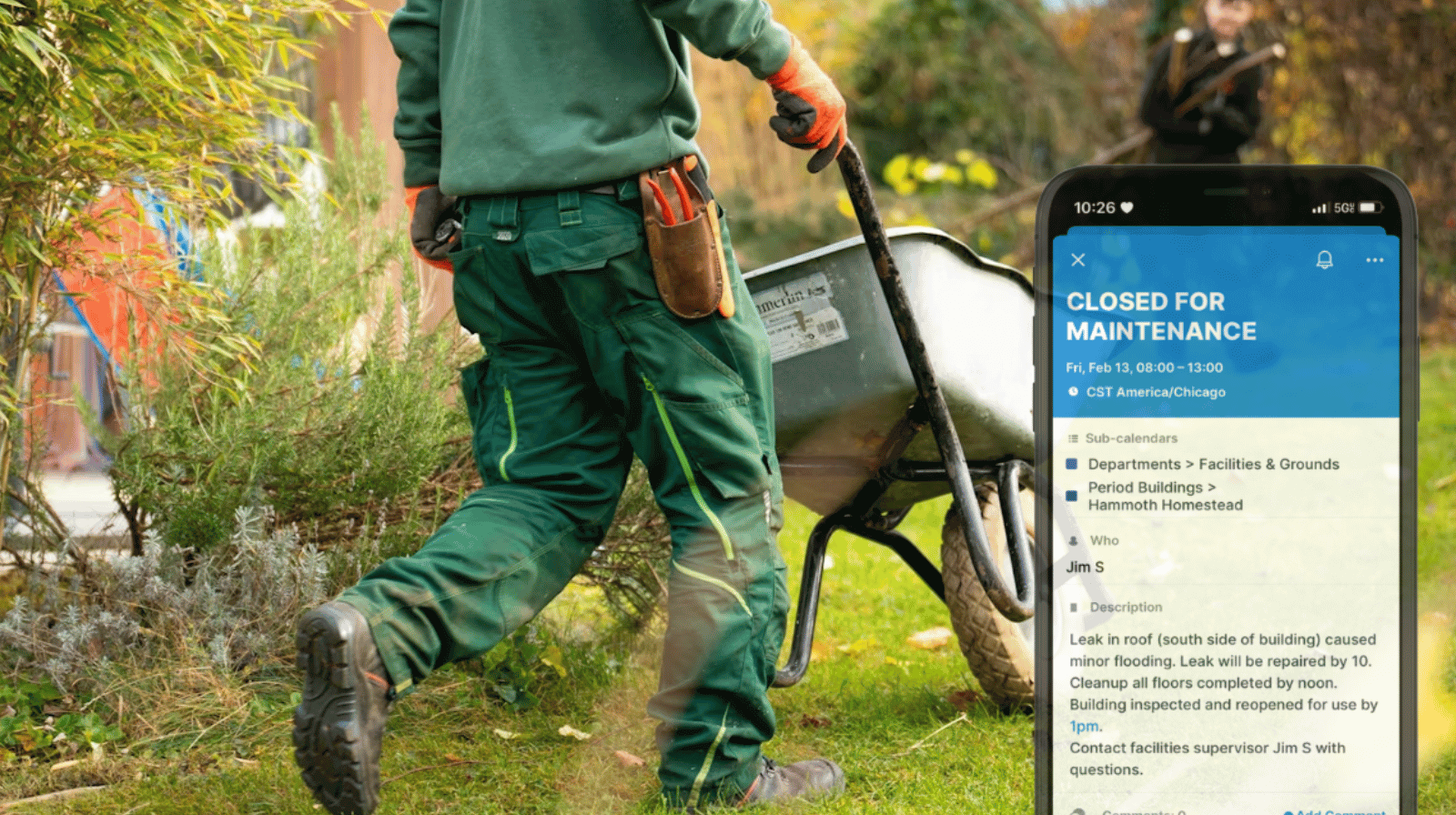
The Teamup solution: Facilities staff members on the grounds can add alerts and updates. The supervisor is notified of alerts, can review and confirm the issues, and update the availability of the affected location calendar. Overlapping events are automatically blocked, ensuring no tours or reservations can be scheduled during the repair window.
Maintenance updates that everyone can see
In a busy historical park, buildings and outdoor areas serve many purposes throughout the week. A gazebo might host a wedding one day, a school program the next, and a weekend public tour after that. Maintenance teams rely on a shared calendar to monitor what’s happening across the park and keep all spaces safe, operational, and prepped for special events.
But sometimes issues appear unexpectedly. A lighting failure in a visitor center, damage to a pathway, or a plumbing issue in a historic building may require temporarily closing an area.
When that happens, the priority is making sure everyone knows the space is unavailable.
Staff workflow: Real-time alerts, updated availability
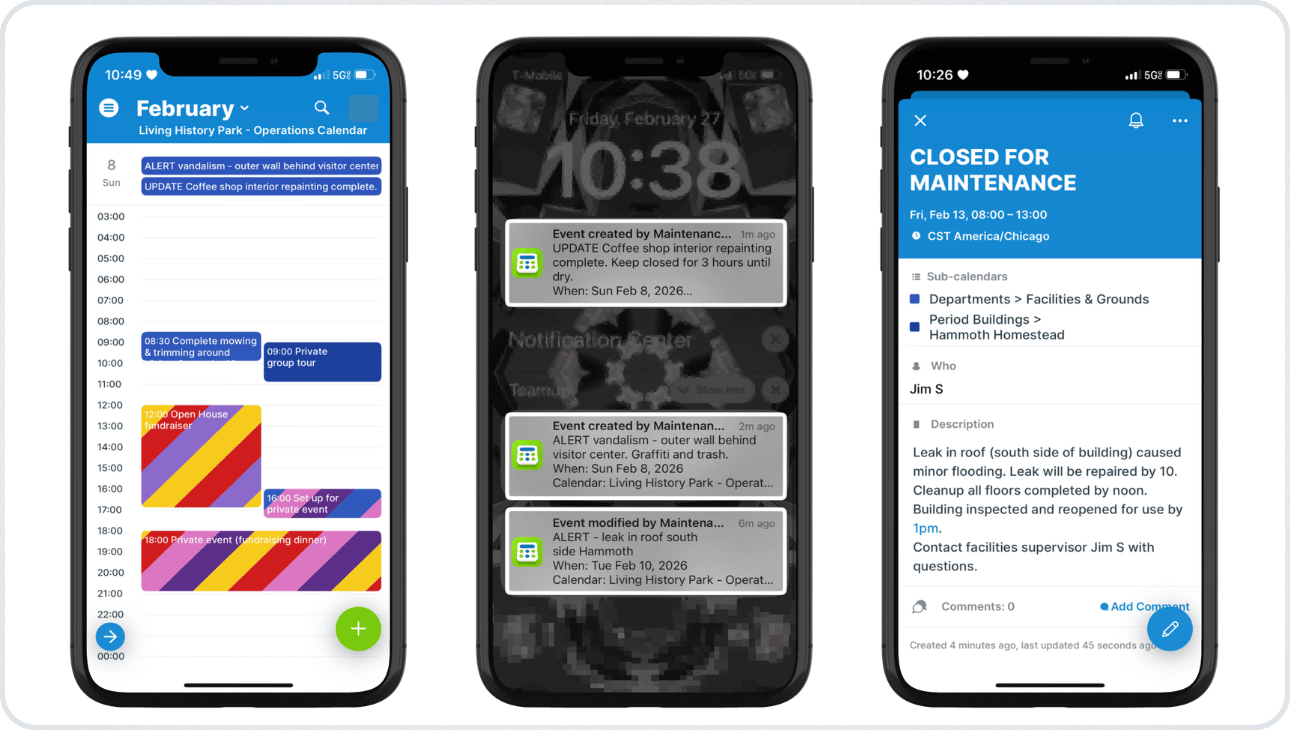
Click to enlarge: Maintenance staff on the ground add alerts (left). The supervisor is notified whenever an alert is added (middle). The supervisor can review the alert and make the affected area as unavailable (right).
The process starts with the staff member who discovers the issue.
Instead of sending messages or making a note to relay later, when they’re back at the Facilities office, staff members can immediately add a quick Alert event on the Facilities calendar. The facilities supervisor gets an immediate notification when an alert or update is added.
The supervisor can review the alert, seeing any notes or photos added by the team member on the ground. Then they can place the closure on the correct location calendar, with the estimated timeline of repairs. All staff members see availability changes on the calendar. Because each location calendar is configured to disallow overlapping events, no new tours or reservations can be scheduled in that space during the closure period.
What if events are already scheduled in the affected area?
Sometimes a repair or safety issue is discovered after events have already been scheduled in that location. In those cases, the facilities team can use the shared calendar not just to mark the closure, but also to quickly notify the staff responsible for the affected events so they can move or adjust their plans.
- Staff member creates alert: When an issue is discovered, the staff member creates an Alert event on the Facilities calendar describing the problem.
- Facilities supervisor reviews alert: The supervisor receives a notification and reviews the report.
- Supervisor checks calendar: When preparing to mark the building or area as closed, the supervisor sees that an event is already scheduled for that location during the repair window.
- Supervisor alerts event organizer: The supervisor adds a comment directly to the scheduled event explaining the situation and asking the organizer to move the event to another location or reschedule.
- Event organizer receives notification: The organizer receives a notification that a comment has been added to their event and can immediately review the update.
- If timing is urgent: For events starting soon, the supervisor can contact the organizer directly. The calendar clearly shows what event is affected and who is responsible for it, making quick coordination much easier.
Clear communication without last-minute scrambling
In busy public sites, communication gaps can quickly create problems. A tour arriving at a building that’s closed or a wedding setup scheduled in a space under repair can disrupt both visitors and staff.
Using the shared calendar as a two-way communication system solves this problem. Event teams share upcoming activities so facilities can prepare spaces in advance. Facilities staff share closures and repair windows so everyone knows when areas are unavailable. The calendar provides a clear, transparent view of availability, events, timelines, and updates.
For large sites managing tours, events, and daily visitors, that visibility keeps operations running smoothly and prevents small maintenance issues from turning into major scheduling problems.