Firms that work with contractors depend on precise timing. Schedules change frequently, and subcontractors cycle through different phases of a project. Each needs clarity on their own tasks, but not access to sensitive client or internal information. The challenge is delivering accurate updates securely, giving access only to what each contractor needs.
The challenge: Unrestricted access vs duplicated info
Many teams rely on shared spreadsheets, cloud folders, or full project management tools to communicate with contractors. These methods work in theory but often break down in practice.
Once a contractor receives broad access, they may see unrelated timelines or internal notes. Overexposed data creates security risks, unnecessary questions, and confusion about which details apply to which crew.
The alternative is not much better. To avoid giving full access, managers often copy and paste information from internal tools into emails or separate documents. This duplication takes time, introduces mistakes, and leads to multiple versions of the same information circulating at once.
As projects grow and schedules change quickly, this patchwork approach becomes impossible to maintain.
The solution: Selective sharing with permission controls
For a cleaner workflow, teams need a single place to update schedules and a way to share only the details each contractor should see. A shared calendar with granular permission controls can be set up to do exactly that.
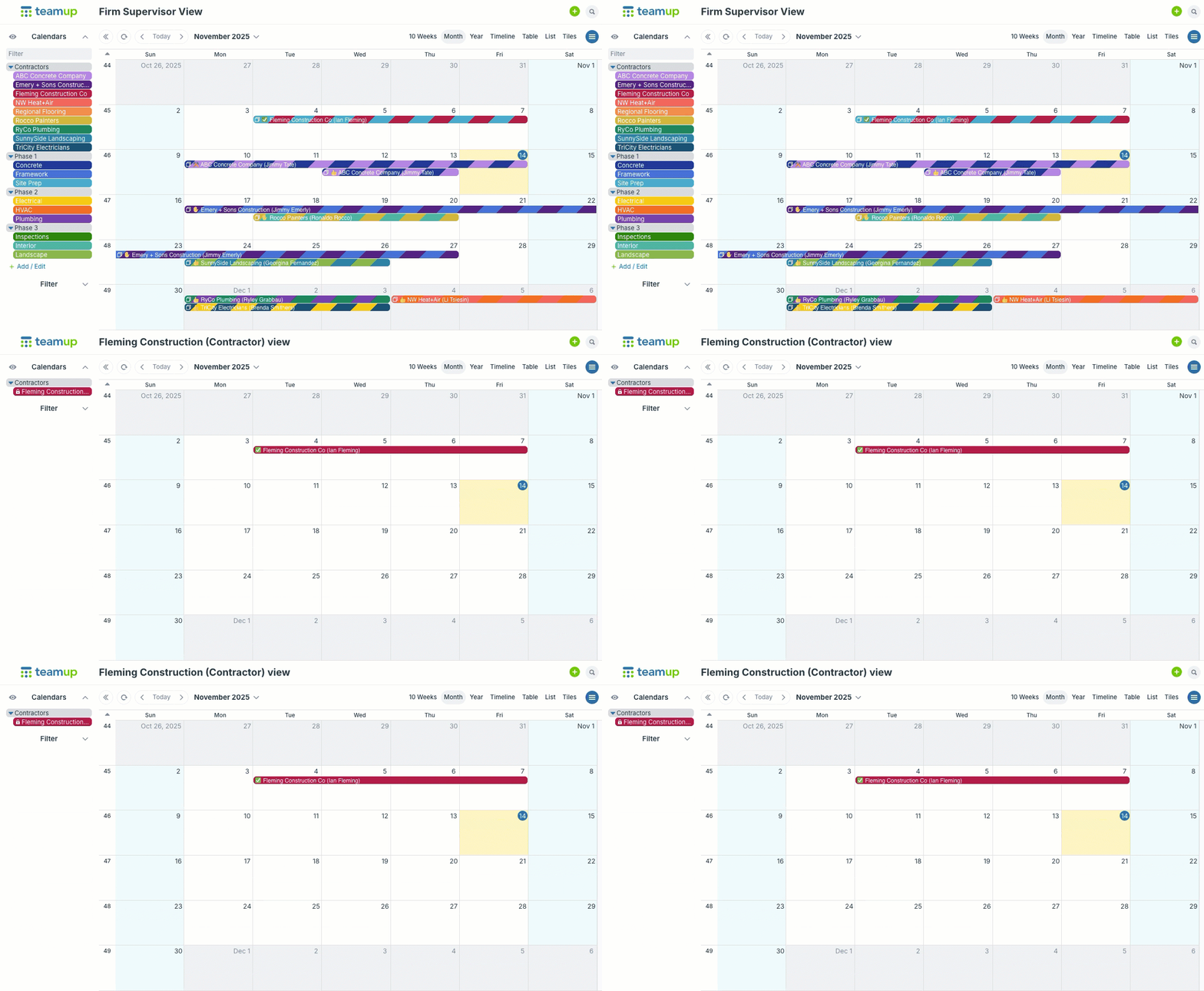
➡ Each contractor gets customized calendar access that displays only the sub-calendars relevant to their work.
➡ Managers update one master calendar, changes sync instantly, and sensitive fields stay hidden.
➡ Files such as blueprints, site photos, and checklists can be attached directly to events, keeping everything organized without exposing internal systems or shared drives.
Fine-tuned access with permissions
⚙️How it works: For each user or access link, select which sub-calendars to include and set the permission level for each included sub-calendar.
Teamup’s permission levels let engineering firms keep one calendar while controlling exactly who can see and change what. Take a look at how permission levels work in a contractor scenario.
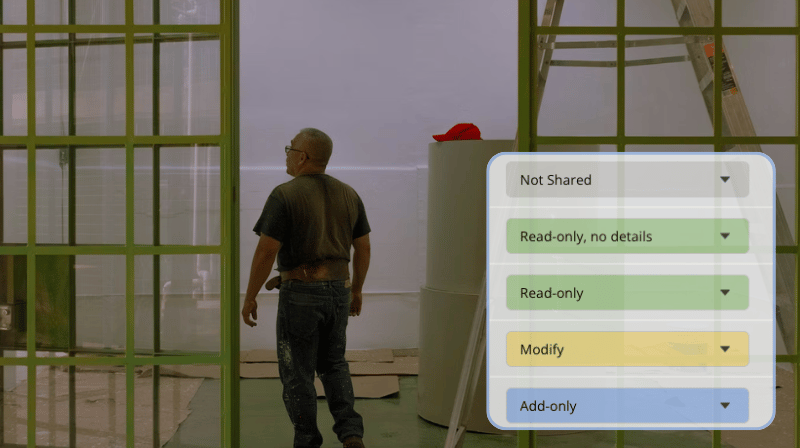
| Permission | What it allows | Typical use in an engineering + contractor setup |
|---|---|---|
| Not Shared | The sub-calendar is completely hidden from that user or link. | Use for internal planning calendars (budgets, internal reviews) that should never be visible to external contractors. |
| Modify | View, create, edit, and delete events on that sub-calendar. | Give to internal project managers or coordinators who maintain all event details for one or more project calendars. |
| Read-only | Event fields set as visible to all users are shown, but nothing can be changed. | Ideal for providing status updates for clients or letting contractors view their assigned jobs. |
| Read-only, no details | Shows basic placeholders (time, calendar name, title) while hiding all other event details. | Use for very high-level visibility, for example when a subcontractor only needs to know that a time slot is booked. |
| Add-only | Users can add new events, but not change or delete existing ones. | Suitable when contractors need to propose site visits or upload their own tasks, while internal staff retains control of the main schedule. |
| Add-only, no details | Same as Add-only, but details of existing events are hidden. | Use when subcontractors should log their work or availability but not see the details of other bookings on the same calendar. |
| Modify my events | Users can create events and edit only the ones they created, not events created by others. | Good for external crews who need to adjust their own visits or tasks while leaving the firm’s entries untouched. |
| Modify my events, no details | Same as Modify my events, but details on events added by other users are hidden. | Use when multiple subcontractors share a calendar and each should manage only their own events without seeing others’ internal details. |
Typically, a good setup for engineering firms is:
- Modify for internal project managers on relevant project calendars.
- Read-only or Read-only, no details for subcontractors who only need to see the schedule.
- Modify my events or Add-only for contractors who should add or adjust their own visits, but not edit the firm’s events.
The results: control for firms, clarity for contractors
Combining access permission levels with field visibility settings provides control and simplifies communication. Firms can work from one shared calendar while protecting sensitive data and keeping contractor access tightly scoped to their part of the work. Each contractor gets the information required to stay on schedule, no more and no less. It’s effective, secure, and enables efficient work for everyone. Jump into a live demo to check out how permissions and other features work, or create your own calendar today.