
TEAMUP FOR FIELD SERVICES
Installation scheduling software for install crews
Installation scheduling software for companies that run site visits, deliveries, and installs across multiple crews. Keep an overview of every job on one coordinated schedule. Let each installer see only their assigned work.

An install schedule built for installation teams
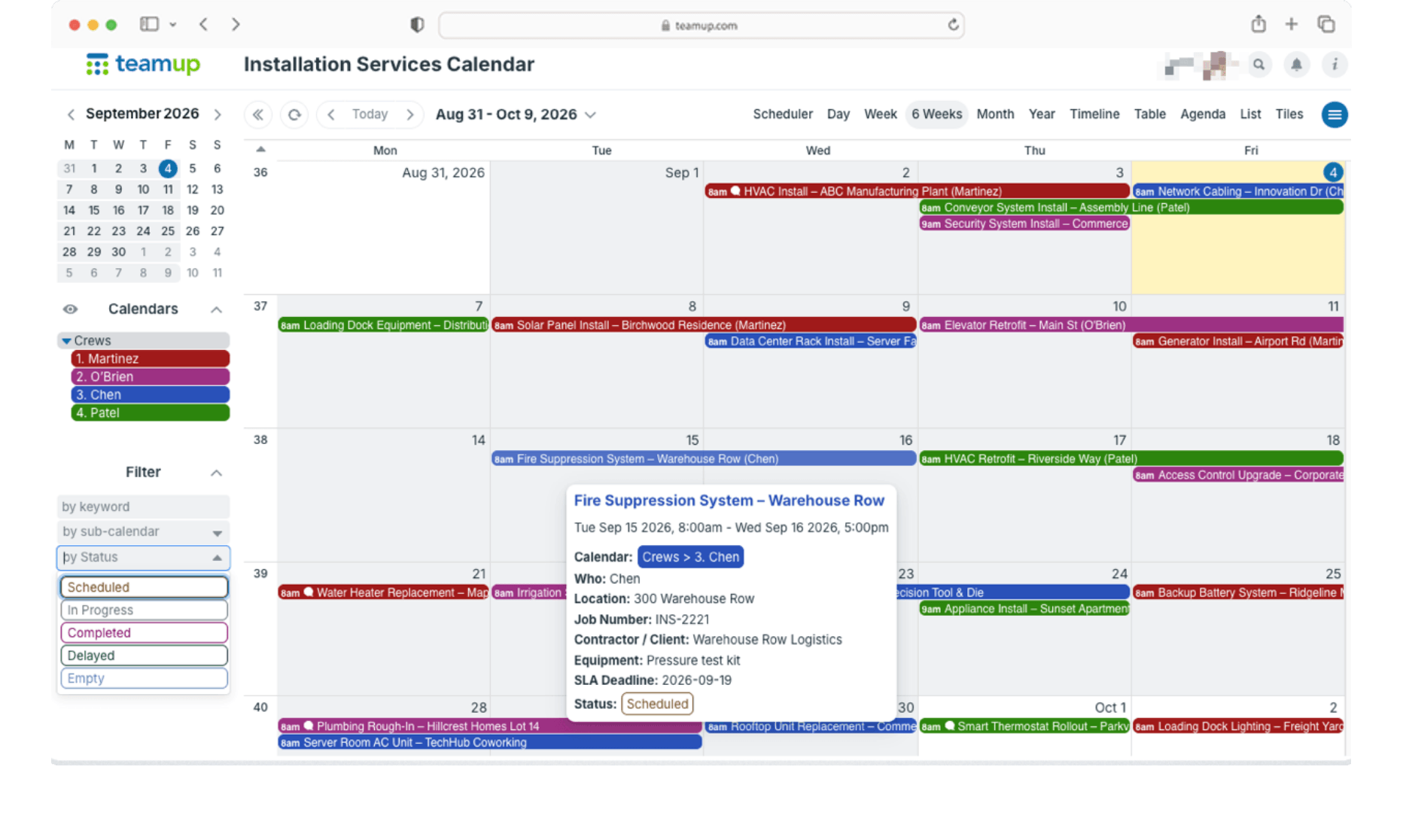
Assign installers by specialty
Give each installer or crew a sub-calendar and group them by specialty or by branch. Toggle the view to see only crews with matching qualifications when assigning a job.
Plan multi-day installs
Schedule multiple project phases as separate events or as one multi-day job. Everyone sees how long each crew is tied up, and double-bookings are automatically stopped.
Each installer sees only their own jobs
Installers open the app and see their assigned work. The office and install managers see every crew side by side.
Real-time updates from the field
Installers can add notes and completion photos to the job from their phone, even with read-only access to the schedule. The office sees progress as it happens without manual checks or time-consuming phone calls.
Keep job specs on every install
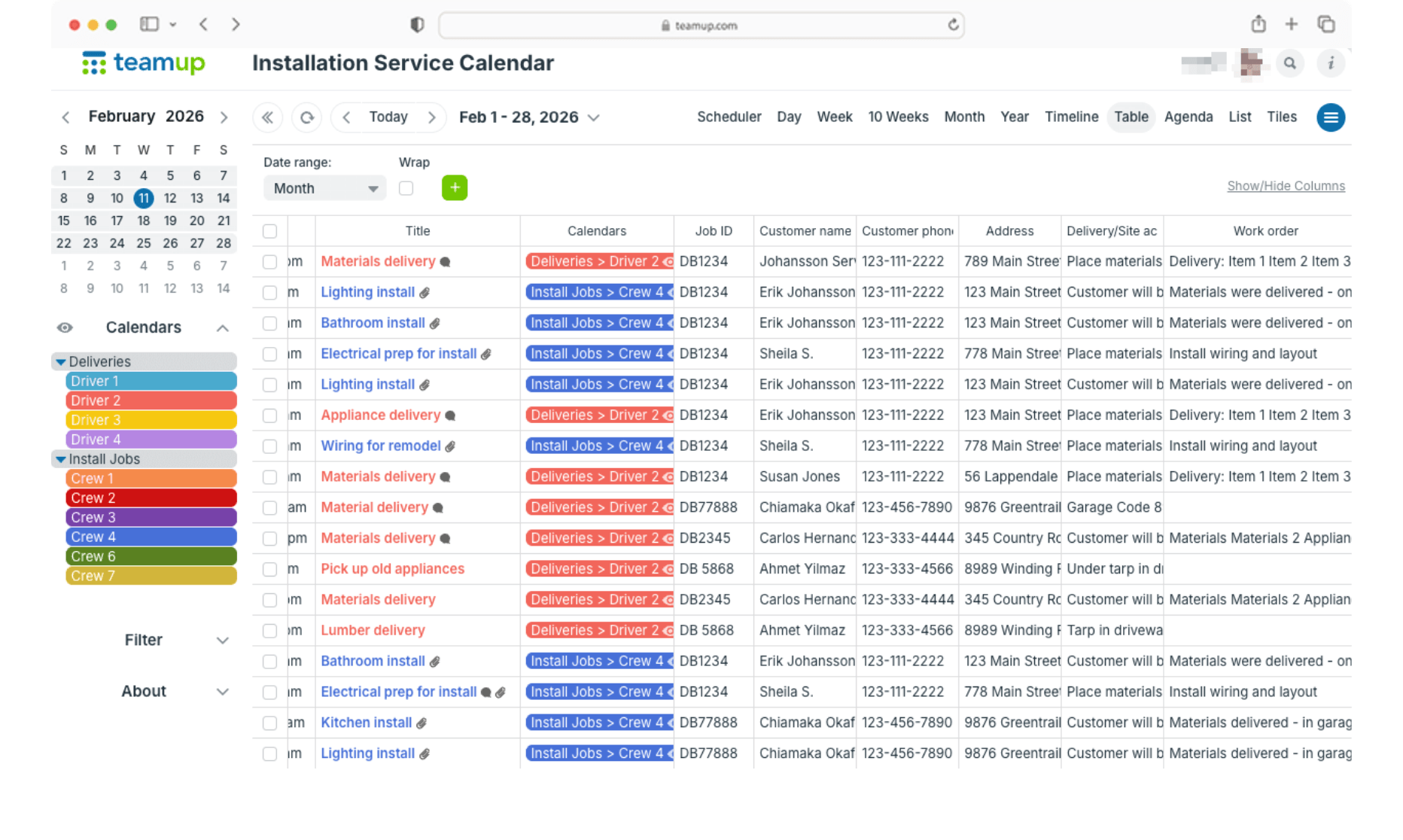
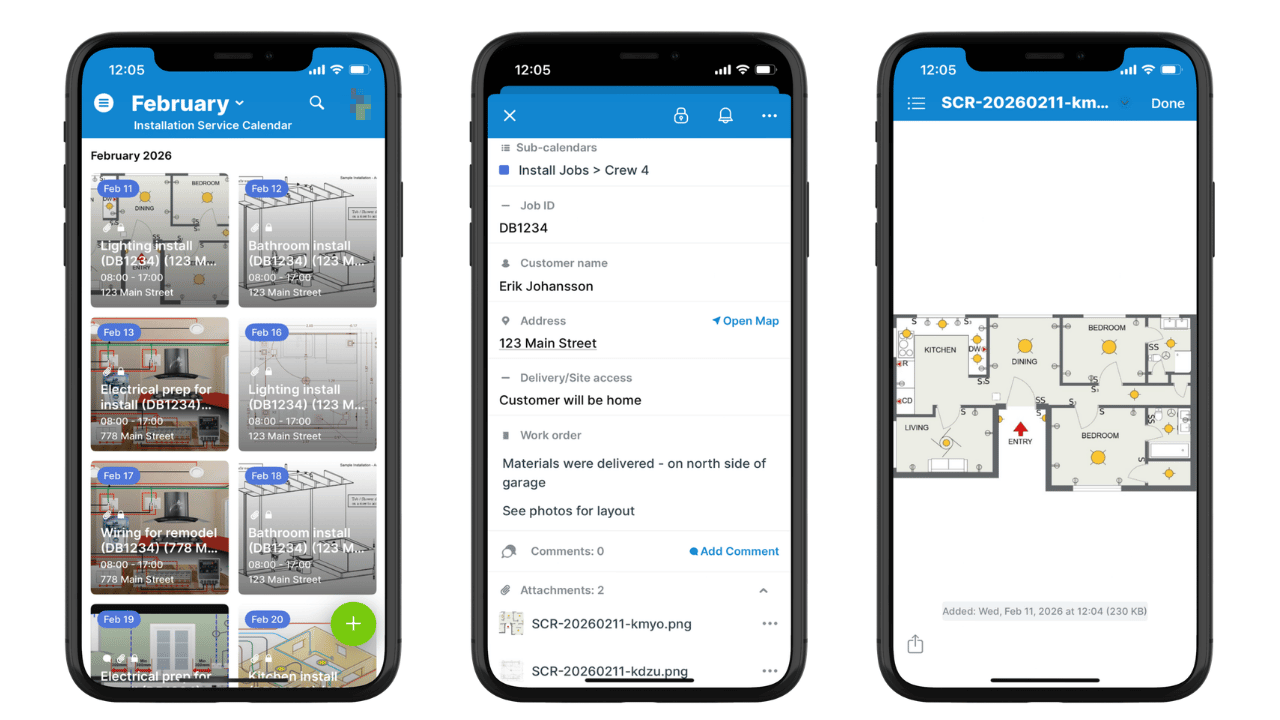
Custom fields hold the address, rooms, square footage, material, PO number, and job status. File attachments and images stay with the job. Key details can show in the event title.
Accurate schedule details, everywhere
The Teamup app (iOS, Android) stays synced whenever the office updates the schedule. Crews get accurate info with mapped directions and file previews.
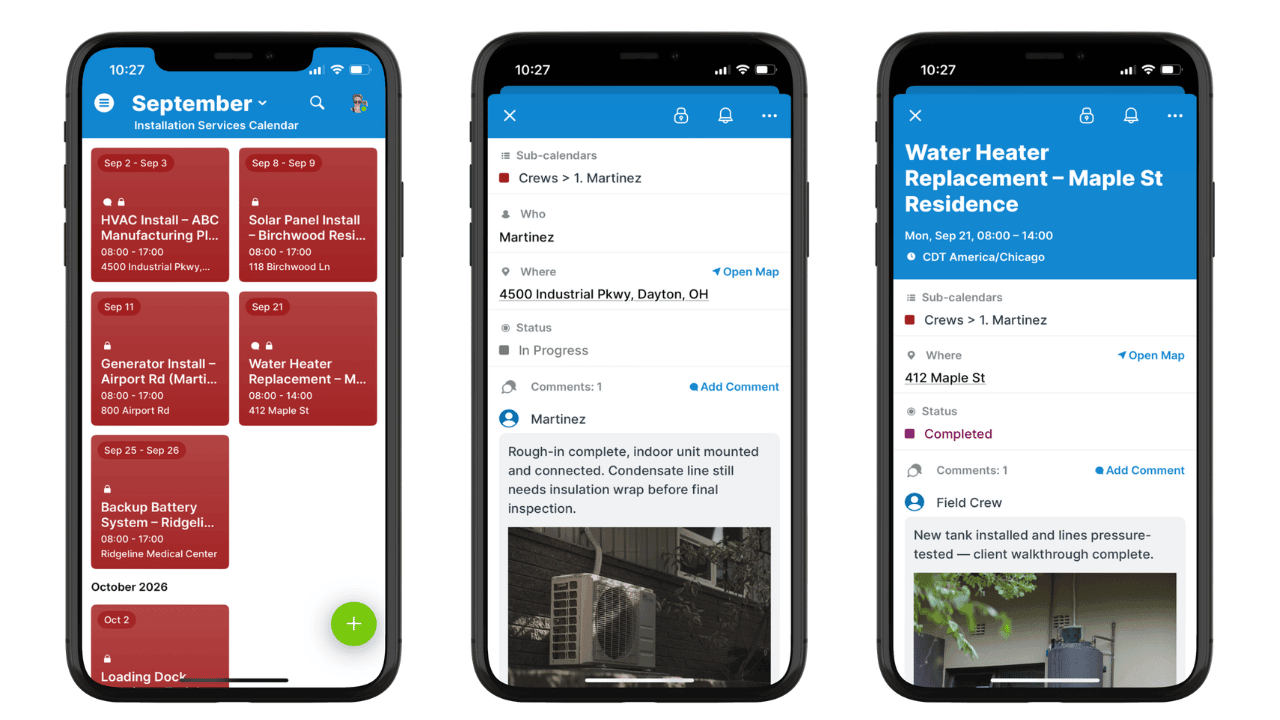
Efficient install schedules that work
Whiteboards and spreadsheets slow installs down
A whiteboard in the shop or a shared spreadsheet works until the install calendar fills up.
Then the same problems show up every week:
- Two installers get booked for the same day, or a job has no one assigned.
- Material isn’t on site when the crew arrives.
- A reschedule doesn’t reach the installer until they call in.
- Job specs live in texts, emails, and the sales rep’s notes.
→ Work Smarter with Teamup: Installation Services Scheduling that Keeps Every Job on Track
Teamup works with your install workflow
Many install companies already use software for estimating, takeoffs, or inventory. Teamup handles the install schedule and runs alongside those tools.
Teamup is a good fit if you need to:
- Replace an install whiteboard or spreadsheet.
- Schedule installers by specialty or branch.
- Coordinate measures, deliveries, and multi-day installs.
- Give installers an updated mobile view of their jobs.
→ Get Organized with Teamup: Visual Install and Delivery Scheduling with Complete Job Records
Ready to get started?
Get started in minutes with simple, clear lab equipment scheduling the whole team can use.
Get started quickly with an organized schedule:
- Add your installers. Create one sub-calendar per installer; organize by crew, specialty, or region.
- Configure fields. Add and arrange event fields to hold key job details, notes, and files.
- Set up access. Add each user with custom permissions so they only see their own assignments.
Scale up with a clear view of every install:
- Grow without interruption. Add more sub-calendars with folder organization as your business grows.
- View at any range. 12 calendar views to work across days, weeks, or months. Toggle what’s visible to plan by crew, job, or region.
- See what matters. Filter data across custom date ranges. Use Table view to see the calendar in a spreadsheet layout.
Running larger construction crews across multiple jobsites? See how to use Teamup as contractor scheduling software.
Frequently asked questions
What is installation scheduling software?
Installation scheduling software plans which installers handle which jobs, when, and for how long. It replaces whiteboards and spreadsheets with a shared schedule the office and the field can both see.
Can installers see only their own jobs?
Yes. Access is set per sub-calendar, so each installer sees their own work while the office sees every crew.
Can installers send updates without edit access?
Yes. With comments turned on, installers can add notes and photos to a job even with view-only access.
Does it work on phones?
Yes. Teamup Calendar has a free, fully functional mobile app (iOS and Android). The app shows the same live schedule, including job details, files, and photos.
Can a job span several days or stages?
Yes. Book one multi-day event, or add each stage as its own event.
Can the install schedule sync with Google Calendar or Outlook?
Yes. Calendar feeds provide a one-way sync to show Teamup events in Google Calendar, Outlook, and Apple Calendar.
How much does it cost?
Teamup Calendar has a free plan. Paid plans add more sub-calendars, users, and features. See pricing.
What is flooring scheduling software?
Flooring scheduling software plans which installers handle which flooring jobs, when, and for how long. Teamup works as flooring scheduling software for measures, material deliveries, and installs.
Can flooring installers be scheduled by specialty?
Yes. Teamup is customizable so you can set it up to work specifically for your install teams. Group installers by hardwood, tile, carpet, or LVP, and filter the schedule to see who’s available for each job.
Can a flooring job be split into demo, prep, install, and finish?
Yes. Add each stage as its own event, or book the whole job as one multi-day install. Any job can be assigned to multiple sub-calendars, too, so bigger jobs can be assigned to multiple installers or crews without having to recreate the entire job entry.
Does Teamup replace QFloors, RFMS, or MeasureSquare?
No. Those flooring software tools handle estimating, takeoffs, and dealer operations. Teamup handles the install schedule and works alongside them.
TABLE OF CONTENTS