Today’s world is global. We’re interconnected, doing collaborative work and staying connected with people all around the world. Working across time zones is one of the defining challenges of modern remote and global work. Whether you’re scheduling a call with a client in Tokyo, coordinating a product launch across Europe and the US, or figuring out when your friend in London is awake, the right time zone tool makes all the difference.
This guide covers the best tools for time zone conversion and comparison, including the widely popular World Time Buddy (also known as Time Buddy or worldtimebuddy), Timezone Wizard, and other top timezone apps and world clock tools. We also show how Teamup Calendar handles time zones automatically so you can skip manual conversion altogether.
Quick Answer: What is the best time zone conversion tool?
The best tool depends on your use case. Take a look at our top picks.
- Teamup Calendar: Best if you want time zones handled automatically right in the calendar for all participants. No manual conversions needed. Includes DST support.
- World Time Buddy: Best for quickly comparing multiple time zones visually (separate from calendar or scheduling tool) and sharing with a team. Also known as “time buddy” or “world clock buddy.”
- Timezone Wizard: Best for timezone comparison that allows participants to vote on best option.
- TimeandDate.com: Best for deep timezone data, DST tracking, and time zone reference tools.
- Every Time Zone: Best for a quick, visual overview of all zones at once.
Why time zone conversion matters
Time zone mistakes are surprisingly common, and can be surprisingly costly. A single missed conversion can mean a no-show on an important call, a deadline missed, or key team members left out of the loop:
- Scheduling meetings at impractical hours for some participants.
- Missing deadlines because you didn’t convert to your local time.
- Double-booking when time zone conflicts aren’t visible in your calendar.
- Daylight Saving Time errors as different regions switch DST on different dates, and some don’t observe it at all.
A good time zone tool eliminates these risks. Here’s a breakdown of the top options.
The best time zone tools
Teamup Calendar for automatic time zone management
Type: Calendar (browser, mobile) with built-in time zone support
Platforms: Web, iOS, Android
URL: https://www.teamup.com
Most time zone tools require a multi-step process: look up the conversion, then manually create your calendar event. Teamup eliminates that extra step entirely.
How it works: When you create an event in Teamup, it stores the time zone of the event. Others with access to the calendar will automatically see the event in their own time zone. And if you share the event page, the time automatically converts for each participant based on their displayed time zone. No manual conversion needed.
Teamup time zone features:
- Automatic DST adjustment: Teamup automatically applies Daylight Saving Time changes for every displayed time zone, so you never have to manually account for DST switches.
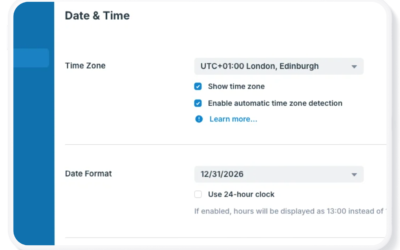
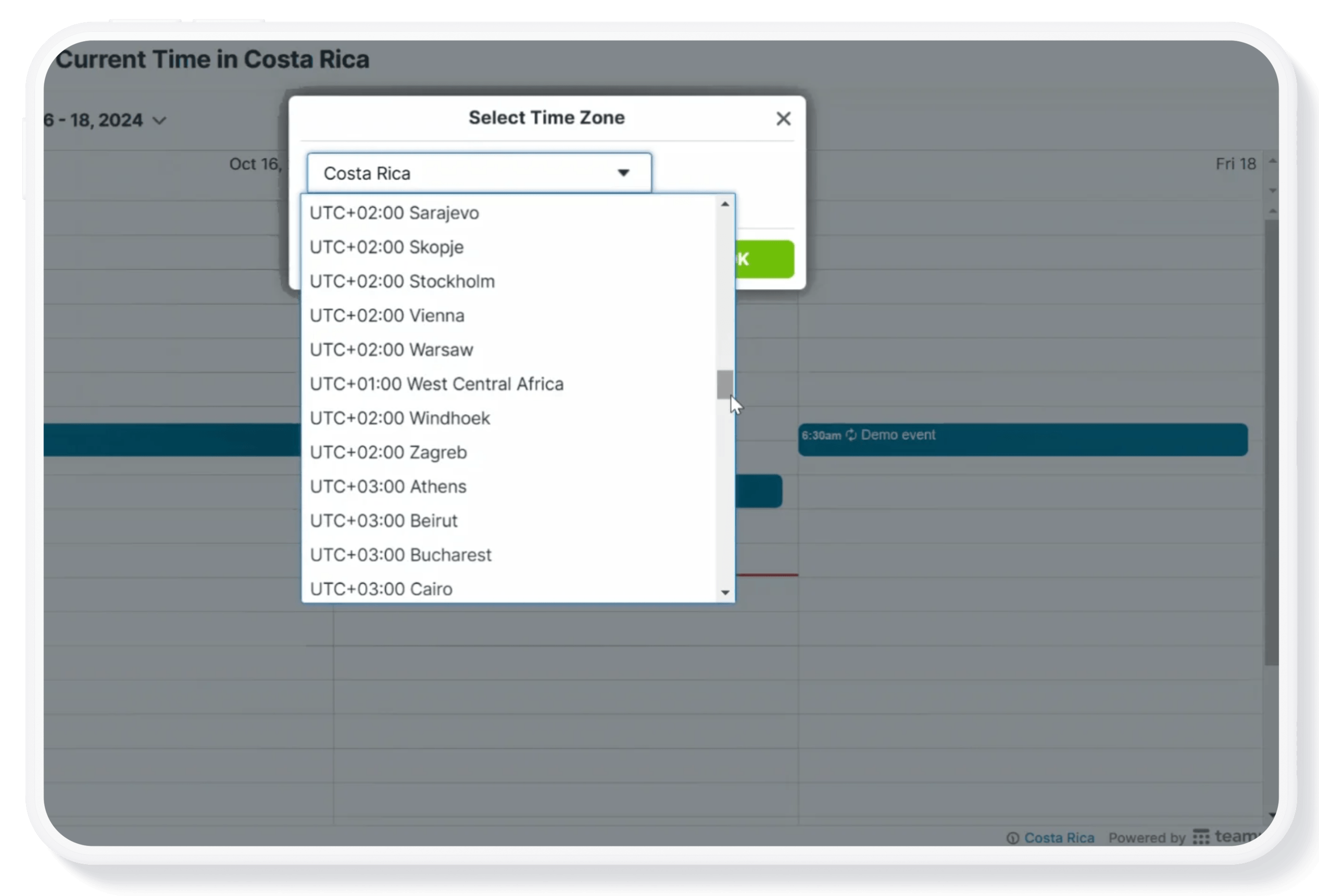
- Configurable time zone display: Switch the displayed time zone with one click. The red “current time” indicator updates instantly.
- Time zone link parameter: Set up a calendar link that always opens in a specific time zone, regardless of where the viewer is located.
- Lead time zone for recurring events: Prevent recurring event time confusion with lead time zone settings.
World Time Buddy for time zone conversion
Type: Browser tool, mobile app, widget
Platforms: Web, iOS, Android
URL: worldtimebuddy.com
Also known as: Time Buddy, worldtime buddy, time zone buddy, world clock buddy
World Time Buddy is consistently one of the most searched and used time zone tools on the web. It offers a straightforward timezone comparison interface that makes it easy to see multiple cities side by side.
How it works: Add the cities or time zones you want to compare. A visual chart appears showing the current time across all locations. Click and drag to highlight a time slot, and World Time Buddy will show you that time across all your selected zones simultaneously.
World Time Buddy features:
- Drag-and-drop time highlighting across multiple zones.
- Share directly to Google Calendar, Outlook, and other calendar apps.
- Copy selected time to clipboard or grab a shareable link.
- Mobile app for on-the-go timezone conversion.
- Embeddable widget for websites.
Timezone Wizard for time zone comparison
Type: Browser tool
Platforms: Web browser, mobile browser
URL: timezonewizard.com
Also known as: timezone wizard, timezone comparison tool
Timezone Wizard offers everything you’d expect from a timezone converter, but with a cleaner interface and no ads, which puts it ahead of many competitors for everyday use.
How it works: Select multiple locations at the top (click the blue Add city button for more), then scan across to find a time that works best in all locations. Use the Share button to send the link to other participants.
Timezone Wizard features:
- Day/night color-coding to easily see which hours are business hours vs. overnight for each location.
- Multi-date navigation to compare times for different upcoming dates.
- Calendar integration allows you to save a time slot directly to your calendar.
- Sign in to save your most-used timezone configurations for quick access.
- Completely ad-free.
TimeandDate.com for comprehensive world clock data
Type: Browser tool + mobile app
Platforms: Web, iOS, Android
URL: timeanddate.com
TimeandDate.com is the most data-rich timezone tool available. Beyond simple conversion, it provides detailed information about UTC offsets, DST schedules, sunrise/sunset times, and historical timezone data.
How it works: Enter any location to quickly get current time/date information. Check the world clock to scan current times around the world, or compare multiple time zones.
TimeandDate features:
- Create a comparison timetable across multiple selected cities.
- World Clock App is available for iOS and Android. Additional apps for iOS only.
- Comprehensive Daylight Saving Time schedules by country.
- Visualizations and tools (timers, holidays, weather) for time/date related data across the world.
Time.is for sleek time zone comparison
Type: Browser tool + app
Platforms: Web, iOS
URL: time.is/compare
Time.is offers one of the most visually polished timezone comparison experiences available. The interface is clean, fast, and intuitive.
How it works: Type to enter locations, then click Compare time to see a table.
Time.is features:
- Green bars on each time zone’s column for visual indication of working hours.
- Quick and intuitive interface.
- Ad-free paid option (ads are minimal even on the free version).
Every Time Zone for quick overview of global time
Type: Browser tool
Platforms: Web, iOS
URL: everytimezone.com
Sometimes you just need a fast, visual answer to “what time is it everywhere right now?” Every Time Zone is purpose-built for exactly that. It opens with a live chart of all major time zones, with the current time highlighted.
How it works: Drag the green tab to see a specific time highlighted across all zones simultaneously.
Every Time Zone features:
- Labels automatically flip sides as you drag, a small but clever UX touch.
- Shareable links for any selected time.
- Minimal ads.
Dateful for simple two-zone conversion
Type: Browser tool
Platforms: Web browser, mobile browser
URL: dateful.com/time-zone-converter
Dateful’s design philosophy is simplicity. It’s a clean, no-frills timezone converter that’s perfect when you just need to compare two time zones and share the result.
How it works: Enter one location on the left and another on the right. Copy the link to share.
Standout features:
- Minimal, clean UI: No distractions, just a quick comparison.
- Adjustable date format: 12 or 24 hour.
- View time or time and date comparison.
- Copy Link button to share a specific time comparison.
Which time zone tool to use
Use World Time Buddy (time buddy / worldtime buddy) if:
You regularly compare 3+ time zones and need to share scheduling information with a team. The drag-and-highlight feature for selecting a meeting time is unmatched.
Use Timezone Wizard if:
You want an ad-free, clean timezone comparison experience with the ability to save your most-used configurations.
Use Teamup if:
You want to stop doing manual timezone conversions altogether. Teamup automatically converts event times for every participant based on their local timezone — including automatic DST adjustments.
Related resources
- View and Change Time Zone in Teamup, Outlook, Google Cal, and Apple iCloud Calendar
- Schedule and Share Events Across Different Time Zones
- How to Create Your Time Zone Converter
- How Daylight Saving Time Impacts Everyday Life
- Teamup’s lead time zone for recurring events
- Configure time zone settings in Teamup
Use TimeandDate.com if:
You need comprehensive timezone reference data, including Daylight Saving Time schedules, meeting planners, and historical timezone info.
Use Every Time Zone if:
You just want a quick visual snapshot of what time it is everywhere right now.
Frequently asked questions: Time zone tools
How does Teamup handle multiple time zones?
Teamup has automatic time zone detection and conversion: Create a meeting in your own time zone, and the event time will automatically adjust when viewed in other time zones.
How can I set the primary time zone for meetings?
With Teamup, you have the option to manually select the lead time zone for each recurring event series. This is often an over-looked but very helpful feature in a time zone meeting planner.
What is World Time Buddy?
World Time Buddy (also called Time Buddy, WorldTime Buddy, or World Clock Buddy) is a popular browser-based time zone comparison tool available at worldtimebuddy.com. It lets you compare multiple cities’ times visually, drag to highlight a specific time across zones, and share the result directly to calendar apps.
What is Timezone Wizard?
Timezone Wizard (timezonewizard.com) is an ad-free browser tool for comparing time zones. It features day and night color-coding, calendar integration, and the ability to save time zone configurations. It’s one of the best free options for people who regularly compare time zones.
What is the difference between a time zone converter and a world clock?
A time zone converter helps calculate what a specific time in one time zone equals in another. A world clock displays the current time in multiple time zones simultaneously. Many tools combine both features.
How do I handle Daylight Saving Time in time zone conversion?
Daylight Saving Time (DST) is one of the biggest challenges in time zone management because countries switch on different dates, and some don’t observe DST at all. The easiest approach is to use a tool that handles DST automatically, such as Teamup, which adjusts calendar events automatically, or TimeandDate.com, which provides comprehensive DST information.
What’s the best time zone app for teams?
For teams, Teamup is a practical solution because event times automatically display in each participant’s local time zone, eliminating manual conversions. World Time Buddy is another popular option for planning meetings because highlighted time ranges can be shared directly with calendar applications.
What is time zone comparison?
Time zone comparison is the process of viewing multiple time zones side by side to find overlapping business hours, schedule meetings, or coordinate work across locations. Tools such as World Time Buddy, Timezone Wizard, Every Time Zone, and Teamup all make time zone comparison easier.