
Some work needs to get done by a certain time, but it doesn’t belong on a specific day or hour:
- A facilities manager needs to replace exit signs sometime this month.
- A marketing lead needs to review campaign copy before the end of the week.
- An operations team needs to schedule annual safety training before the quarter closes.
These tasks are real and important, but they don’t fit neatly into a time slot. If they’re relegated to task lists or notes, they often get overlooked completely.
The need: Teams need a way to keep unscheduled tasks visible without cluttering the calendar view of time-specific tasks and appointments.
The Teamup solution: The parking lot method uses a designated space on the calendar to hold these tasks where they stay visible until they are done.
The consequences of tasks being invisible
When tasks are hidden, they get missed. That’s why many popular productivity systems emphasize the importance of capturing everything where it can be regularly reviewed. GTD’s capture stage, for example, is meant to ensure that every need or task is held in a single inbox so it gets processed instead of ignored. It’s an important concept. People don’t forget tasks on purpose, but because the work isn’t seen. It’s only later, when the consequences of those missed tasks pop up, that everyone remembers what was supposed to be done:
- A property manager has “schedule fire inspection” on a to-do list. By the time they remember it, the inspector is booked for the month. The inspection gets pushed past the required window.
- A finance team needs to submit quarterly documents, but the task lives in a project tool instead of the calendar. It’s forgotten during regular weekly planning. Then the team has to rush to pull everything together days before the deadline.
- An HR manager plans to update onboarding materials this quarter. The work keeps getting deprioritized, and new hires continue using outdated documents for weeks longer than intended.
- A client services team plans to follow up on contract renewals, but the task stays in notes instead of on the schedule. When they finally reach out to contractors, the renewal conversations start under time pressure instead of on their own terms.
Often, these tasks aren’t complicated. But once they slip, recovering costs more time than doing them on schedule. Keeping all of the work visible changes that, and you can do it right on your team calendar instead of setting up a separate inbox.
The Parking lot: Keep unscheduled work visible
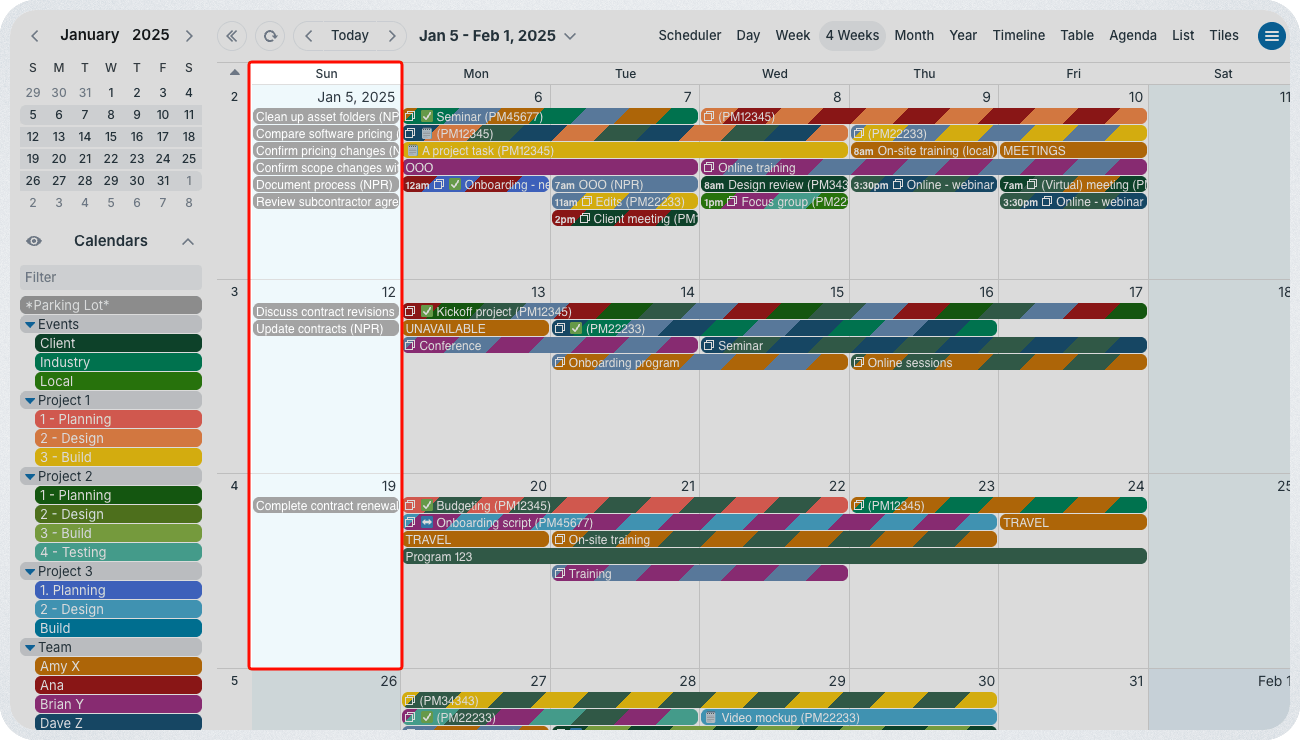
Click to enlarge: Using Sunday as the parking lot for unscheduled tasks keeps weekdays uncluttered for time-specific events and jobs.
The parking lot method puts unscheduled tasks on the calendar without letting them get in the way of scheduled tasks.
In Teamup, create a designated sub-calendar for unscheduled tasks. Then, choose a specific day each week or a placeholder day at the start of the month. This is the parking lot: All unscheduled tasks live here until they are completed. The key is to choose a parking lot date that will be visible in the default calendar view. This keeps those unscheduled but important tasks visible. They’re alongside scheduled events and tasks, so teams can work from a complete picture of what’s happening or needs to happen.
It’s simple to set up. It works on desktop and mobile. Tasks can include notes and attachments. They are searchable and organized like any other event. And they can be moved, updated, scheduled to a specific time, or removed as needed.
When the list gets too long, the parking lot sub-calendar can be toggled off. The tasks are still there, just out of focus for the moment.
What changes once tasks stop hiding
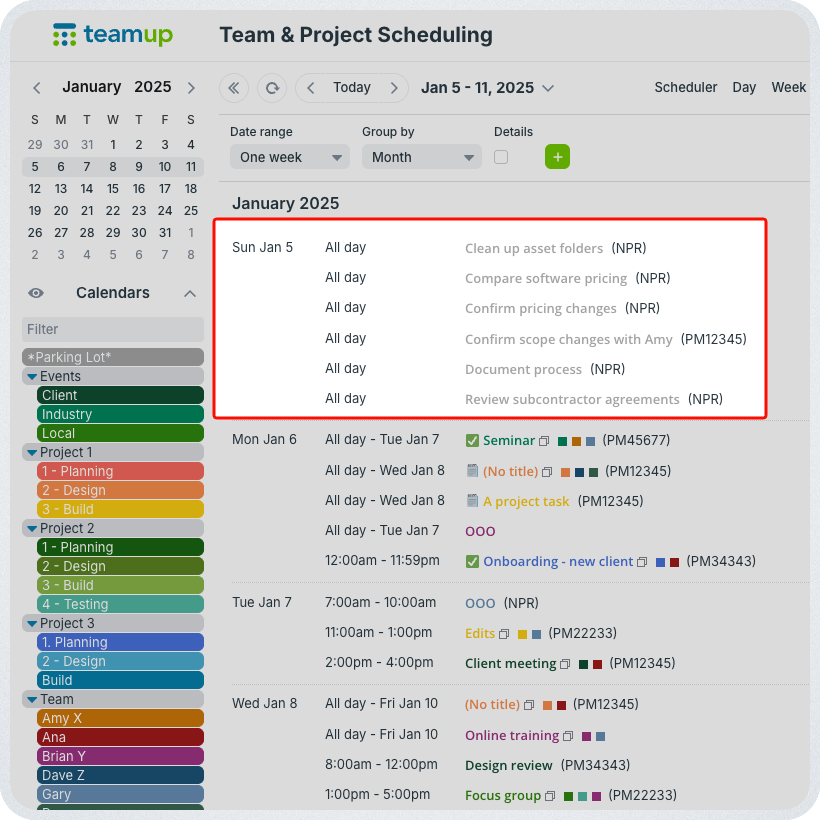
Click to enlarge: Use List view to quickly scan all the parking lot tasks above the week’s scheduled events.
Work doesn’t disappear just because it doesn’t have a time slot. Accountability improves because everyone can see what still needs attention. Instead of reacting to missed tasks, teams can spot unfinished work during normal planning. The calendar shows what’s coming, what’s done, and what still needs follow-up.
Try setting up a parking lot on your own calendar, or see how it works with a live Teamup demo.
Frequently Asked Questions
Click a question to see the answer.