Operations managers can get a unified overview of staff, jobs, and resources across multiple locations with a combined scheduling calendar. See every site’s schedule and avoid conflicts.


Operations managers can get a unified overview of staff, jobs, and resources across multiple locations with a combined scheduling calendar. See every site’s schedule and avoid conflicts.

Share only the schedules contractors need with granular calendar permissions. Protect internal data while keeping project updates accurate and conflict-free.
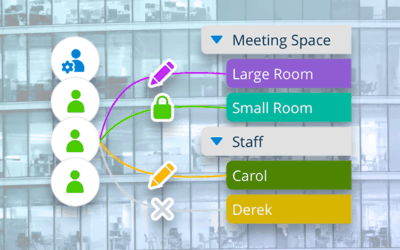
With Teamup, you can share a calendar securely with users, groups, and links. Customize permissions with central control of calendar access.
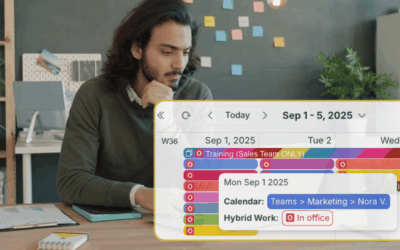
Keep hybrid teams in sync with a shared calendar organized by team so who’s in, who’s remote, and team meetings are clear.

Too often, individuals and teams stay stuck in a familiar view — usually Week or Month — and miss out on the productivity gains that come from using a view designed for their workflow. Choosing the right calendar view matters more than most people realize. The...

As a team leader, you know how much time it takes to keep everyone organized and on the same page. When schedules, tasks, and updates are scattered across different tools, you end up doing more manual coordination than actual work. A shared team calendar can solve...

Stop moving data by hand. Use a shared calendar as a single source of truth to sync job info, links, and updates across tools instantly.
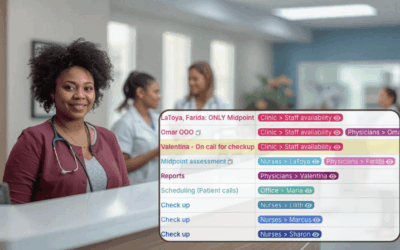
Spreadsheets slow down large team scheduling. Learn how sub-calendars and filters in Teamup make updates fast, simple, and scalable.
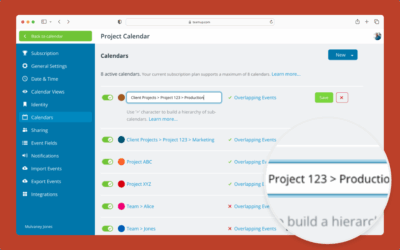
Create and organize new sub-calendars (individual calendars within your master calendar) with folders and color-coding.
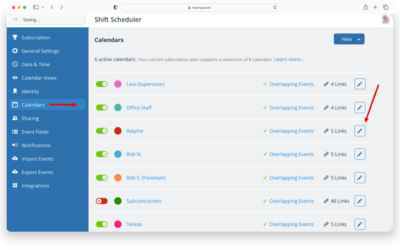
You can re-assign a particular sub-calendar to a different person, resource, or area: Change the title, color, and update access.

Learn how this team eliminated the nightmare of juggling 50+ provider calendars with Teamup & build a unified calendar for improved efficiency, oversight, and scheduling for school-based dental programs.
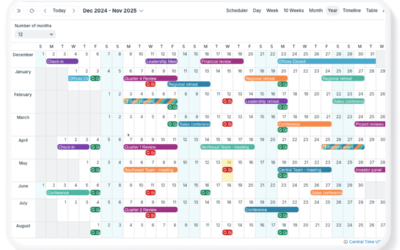
Use Teamup for easier, efficient organizational annual planning to streamline operations and help teams work smarter while focusing on key goals.