Facebook is a popular platform for sharing events. Whether you’re organizing a conference, hosting an online class, or simply planning a fun local gathering, it’s a widely used platform to spread the word. You may want to share an event on your Facebook page to engage your professional audience. Or you might want to invite friends and family to an event. While Facebook is an easy way to share an event with your personal or professional network, it’s not a perfect solution. Here’s how you can use Teamup to streamline event sharing on Facebook and improve your overall experience.
Challenges with Facebook events
Sharing events on Facebook presents a few challenges. First, if you have events hosted on various platforms or calendars, you might need to recreate them specifically for your Facebook followers. Duplicating events effort is tedious and prone to errors. Second, if you want to share events outside of Facebook, you’ll have to create them separately to share them off the platform. It’s more work for you, and then you have multiple instances of the same event to keep up with. If something changes, you have to make sure you update each instance of the event on each platform you’re using.
This kind of fragmented event management adds more work to what should be a simple event-sharing process.
Share automatically updated events on Facebook
With Teamup, you can create events once and share them directly to Facebook from Teamup’s built-in sharing menu. No more duplicating events! If you need to change any details about an event, you can do so directly on the calendar. The event page or event link you’ve shared will automatically show the latest updates.
Share an event page that is always up-to-date
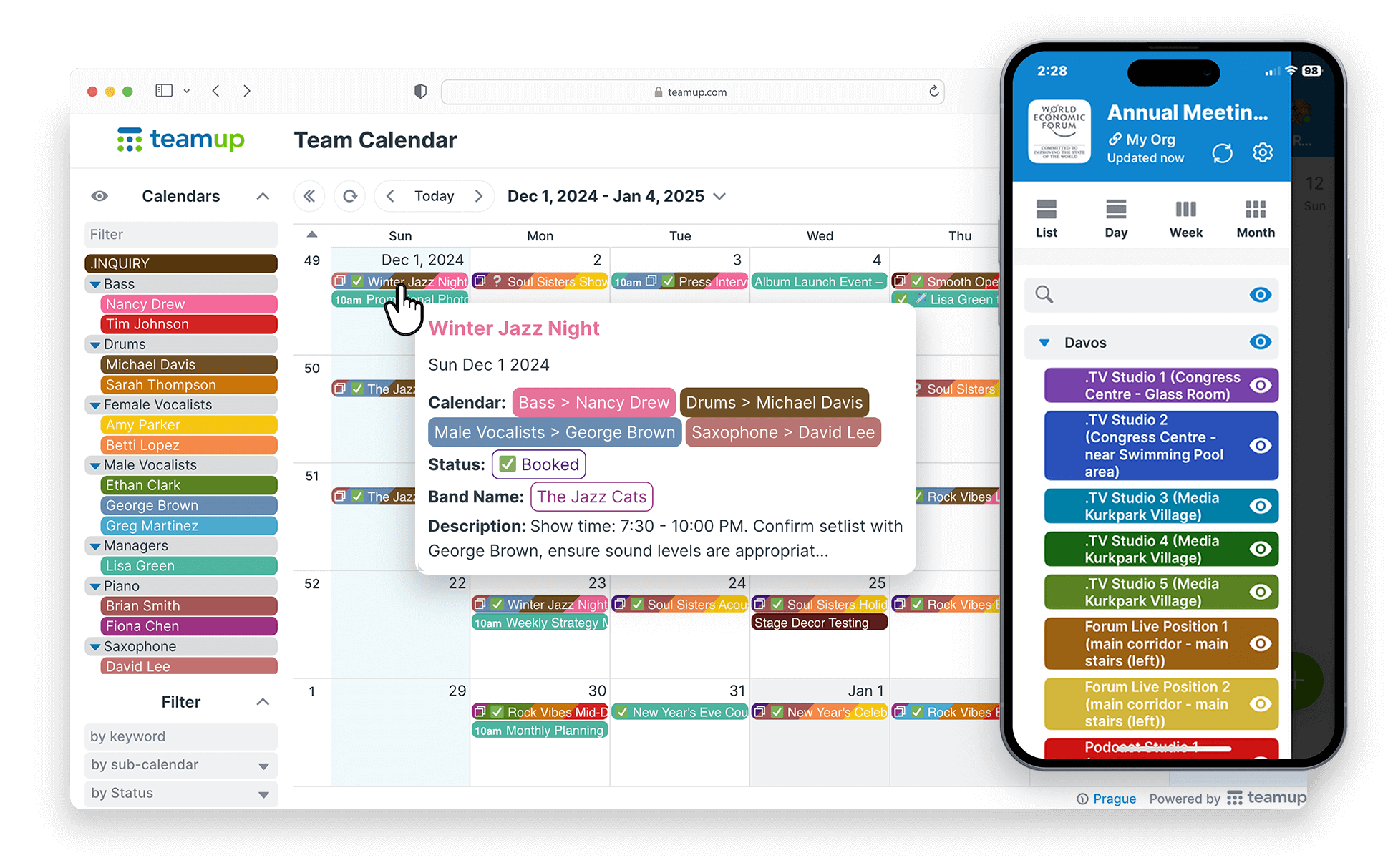
When you create an event on your Teamup calendar, you automatically have the option to share the event as a stand-alone event page. This event page is automatically created and has a unique link you can copy and paste to a Facebook post. Plus the event page is updated whenever you update the event itself on the calendar — so even if your invitees don’t have access to the calendar, they can still see the latest updates to any event you’ve shared.
Sharing an event page is an easy and effective way to share single events on your Facebook profile, within a Facebook group, or on a Facebook page:
- Create the event one time on your Teamup calendar.
- Share the event as an event page on Facebook.
- Share the same event page anywhere else: email, messaging, other social platforms.
- If you make changes to the event, the event page is automatically updated everywhere, for everyone.
Plus, event pages give you plenty of options for promoting and managing your events. You can enable event comments, add images and files, and gather event signups.
Share directly to Facebook
Maybe you’re interested in going to an event like the one below. Want to invite friends to join you? Share the event directly to Facebook, on your own timeline or on a friend’s. They can click the link to see all the event details, and you can talk about it in comments on the Facebook post. This is also a great way to promote events you’re hosting or community events you are part of with a wider group.
Share from mobile
Real life happens all over the place, not just when you’re sitting at a desk! You’re probably used to checking event details, updating your calendar, and coordinating with others through your phone. You can share events from Teamup to Facebook easily, too. Use Share > Browser to create an event page from the Teamup mobile app, then copy and share the event page link. Or share directly to Facebook; you can choose whether to share an event to your own feed, a friend’s timeline, any group you’re part of or page you manage.
Share with a wider group
What about people who are not active on Facebook? You can share the same Teamup event anywhere outside of Facebook, too: other social platforms, messages, group chats, newsletters, and more. You can link to an event or share an event page in a blog post or on your website.
Give it a try! Create your own free Teamup calendar for an easier way to share and update events with anyone on Facebook.