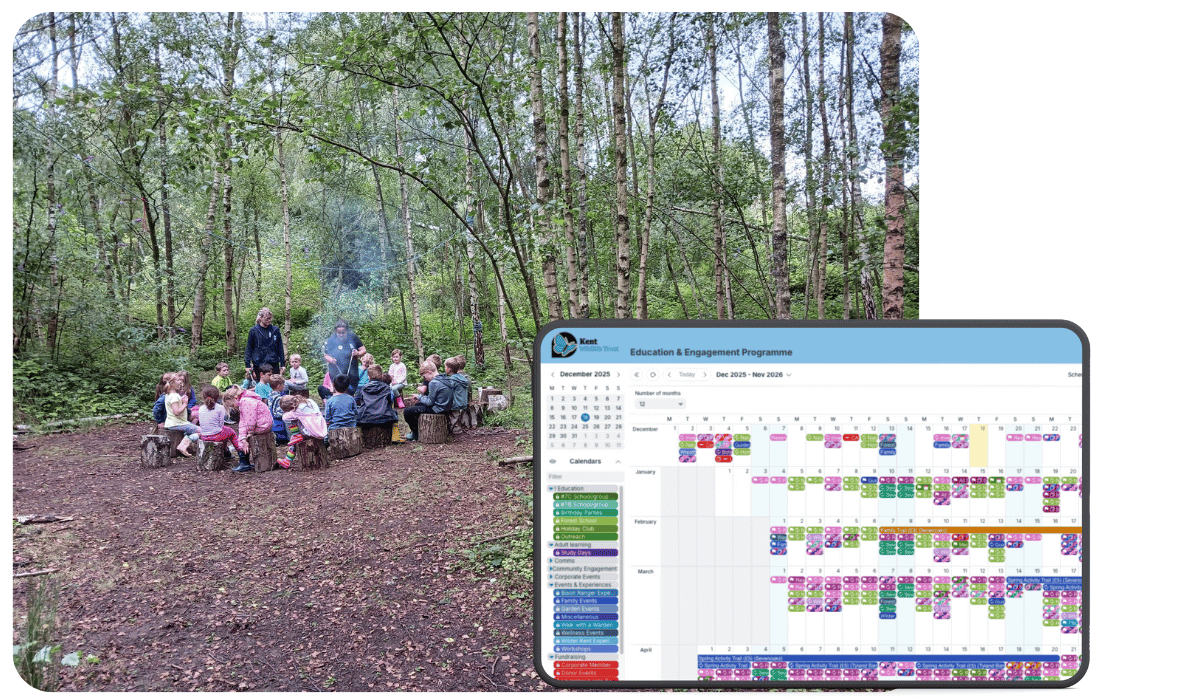
Kent Wildlife Trust is a leading environmental charity dedicated to protecting wildlife and wild spaces across Kent. Alongside its conservation work, the organisation delivers a wide range of education workshops, public events, and wellbeing activities. To keep these programs running smoothly, they use Teamup to coordinate schedules, manage tutor and volunteer availability, and provide clear visibility across multiple teams.
The challenge: Managing a growing number of workshops and events while allowing tutors and volunteers to share availability and sign up easily, without creating administrative overhead or losing visibility of what’s happening.
The Teamup solution: A highly flexible, customizable calendar system that supports multiple teams, event types, and contributors, and scales as the organization grows.
About Kent Wildlife Trust
- Organization: Kent Wildlife Trust
- Location: Kent, United Kingdom
- Industry: Environmental conservation / Charity
- Size: 100+ full-time staff plus volunteers
- What they do: Protect wildlife and wild spaces through conservation, education, wellbeing, and community programs
- Key services: Education workshops, public events, wellbeing activities, conservation initiatives
Managing complex schedules at scale
We found Teamup through a Google search and signed up initially for a free trial to play around with it – we found out very quickly that it was exactly the sort of thing we were looking for and signed up for a Pro subscription, giving us access to more calendars and greater functionality.
Kent Wildlife Trust’s education team began searching for a new calendar system in 2023. They needed a way to organize a busy schedule of workshops, allowing tutors to sign up for sessions and show their availability.
Key factors:
- Managing multiple workshops and events across different locations
- Allowing 30+ tutors and volunteers to sign up without creating user accounts
- Making a very busy calendar easy to understand at a glance
- Supporting growth as additional teams joined
- Extracting data for reporting and insights
It was crucial for the calendar to be clear and easy to use. It also had to be flexible enough to manage different locations and activity types.
A flexible, shareable calendar that scales
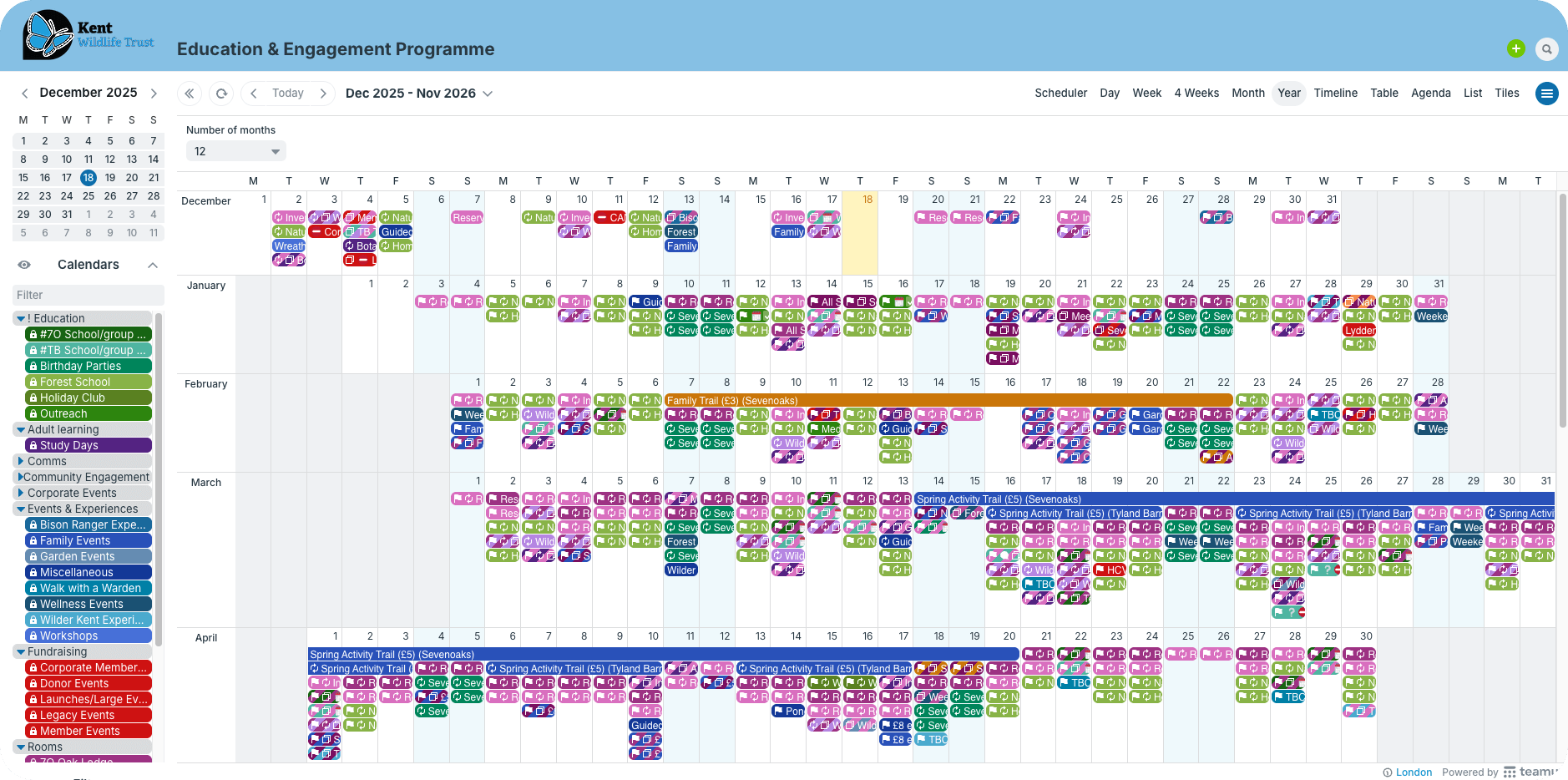
Teamup works really well for our team. It allows us to create multiple different calendars for our various education events and workshops, each with a different colour. We can then personalise each event with multiple different event fields, many of which are fully customisable with different colours and even icons/emojis. This makes our very busy calendar really easy to see at a glance what is going on and where.
Color-coded main categories
They use a combination of color-coded calendars and custom fields to make sure all the scheduling factors are there, without causing confusion. Their calendar is focused on event types as the primary category, so sub-calendars represent these different event types, organized in folders. This makes it easy for team members to quickly spot certain event types by color on the calendar. They can also toggle folders to focus only on certain events as needed.
Consistent, searchable details
Custom fields provide a second important layer of information. There are a lot of details that go into successful event planning. Having all the information in one big description isn’t very helpful, as key details get buried or missed. Custom fields provide a consistent way to capture all the information relevant for each event, such as:
- Age group
- Expected group size
- Event location
- Confirmed staff
- Activities
- Status
- Special requests/needs
- Staff notes
This setup ensures that everyone has all the information that matters, for every single event. It’s available, searchable, and organized, but doesn’t clutter the calendar.
How Teamup meets their needs
- Color-coded, organized calendars: Separate calendars for different event categories with assigned colors, neatly arranged in folders.
- Custom fields with visual cues: Choice fields with assigned emojis provide quick visual cues of different event details. Text fields capture special requests or notes.
- Customized, secure access: Tutors and volunteers can view the calendar, sign up for sessions, and leave comments without being able to make changes to events.
- Built-in filtering: Events can be filtered easily by sub-calendar, keyword, custom field, or any combination.
- Flexible views: 12 flexible calendar views support different working styles and provide both big-picture and zoomed-in perspectives.
- Data export: Calendar data can be exported via CSV for use in other tools.
- Branding: Custom colors and logo ensure the calendar feels aligned with the charity’s identity.
- Scaleable structure: Expanding use to other teams and departments is simple and doesn’t disrupt the workflows already in place.
Within a year, Teamup expanded beyond education to also support the events and wellbeing teams — each running different activities at different locations.
The ability to customise each sub-calendar, as well as filtering out calendars by type, keyword, status etc. ensured that the calendar stayed clear and easily readable, despite the addition of two new teams.
How to set it up
- Create separate calendars for different event types (education, events, wellbeing), organized in folders.
- Add custom event fields (e.g. location, tutor role, status) to capture event details.
- Share the calendar with customized access so tutors and volunteers can sign up and comment.
- Use filters to focus on specific teams, event types, or locations.
- Switch between calendar views (Year, Week, Month, Table, Scheduler, etc.) depending on the task.
- Export calendar data via CSV for reporting and insights.
Clear coordination, easier workflow
There are many other features that we find particularly useful. One is the ability to change the calendar view. For some it is easiest to view by week; for greater oversight a monthly view is easier for others; and then when looking for data at a glance the list and table views are also incredibly useful. The ability also to export the data into excel sheets is incredibly useful, and allows us great insight into our events. And on top of this, the ability to customise the calendar with our own colour scheme and logo means that this calendar feels really personalised and aligned with our charity.
Teamup has transformed how Kent Wildlife Trust manages its events and workshops. The calendar provides a single, reliable source of truth that works for administrators, tutors, volunteers, and multiple internal teams.
Recognizing its value, Kent Wildlife Trust recently upgraded to the Business plan, with plans to roll out Teamup across the entire organization.
Related resources
- See more user stories
- How to show event categories with color-coding
- Share a calendar securely with customized access
- Cross-team visibility with secure information sharing
Looking for a better way to manage events and volunteers? Create your own Teamup calendar and see how easy it is to stay organized — even as your organization grows.