When you create a Teamup calendar, you’re creating a master calendar. That master calendar can contain many sub-calendars. Typically, a bigger or more complex organization (or project) means you’ll need more sub-calendars. Also, as teams grow, scheduling naturally becomes more complex. You may be coordinating:
- Multiple people or teams
- Shared resources and timelines
- Frequent updates, changes, and overlapping needs
- Detail-rich events that include status, tags, notes, or contact information.
The need: A single, well-organized source of truth: One place to see everything that’s happening and capture all relevant context, one place to update changes, and one shared schedule that keeps everyone aligned.
The Teamup solution: A single master calendar, properly structured and shared with the right access for each user or user group, gives you a complete overview and keeps teams aligned without creating siloed calendars.
A unified overview with one master calendar
One compelling reason to build a single master calendar, even with 150 sub-calendars or more, is the ability to have a single, unified overview. This unified view is especially valuable when good decisions rely on seeing activity across multiple teams, projects, or locations.
Once you’ve chosen a single master calendar as your foundation, the next step is structuring it so it can support everything that needs to happen.
This is done by organizing schedules into clear categories, so related events stay grouped while remaining part of the same system. In Teamup, a sub-calendar typically represents a person, team, location, project, or any other category that involves an ongoing sets of events. This guide helps you in deciding which sub-calendars to set up, while this article illustrates how to group them in folders.
Because everything lives inside one calendar, the structure can evolve over time. You can add new sub-calendars or adjust existing ones as needs change — without duplicating calendars, rebuilding workflows, or moving events between systems.
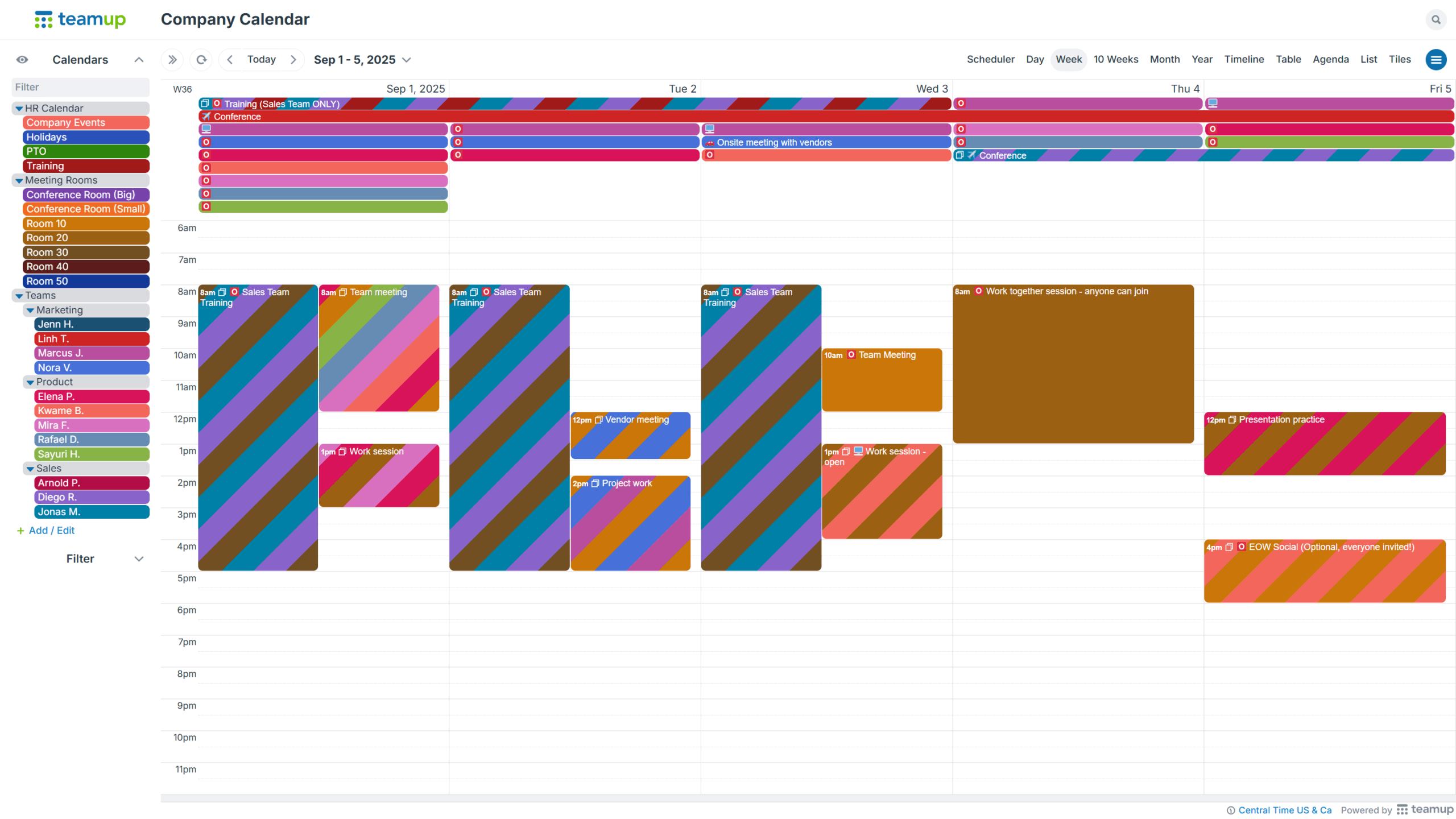
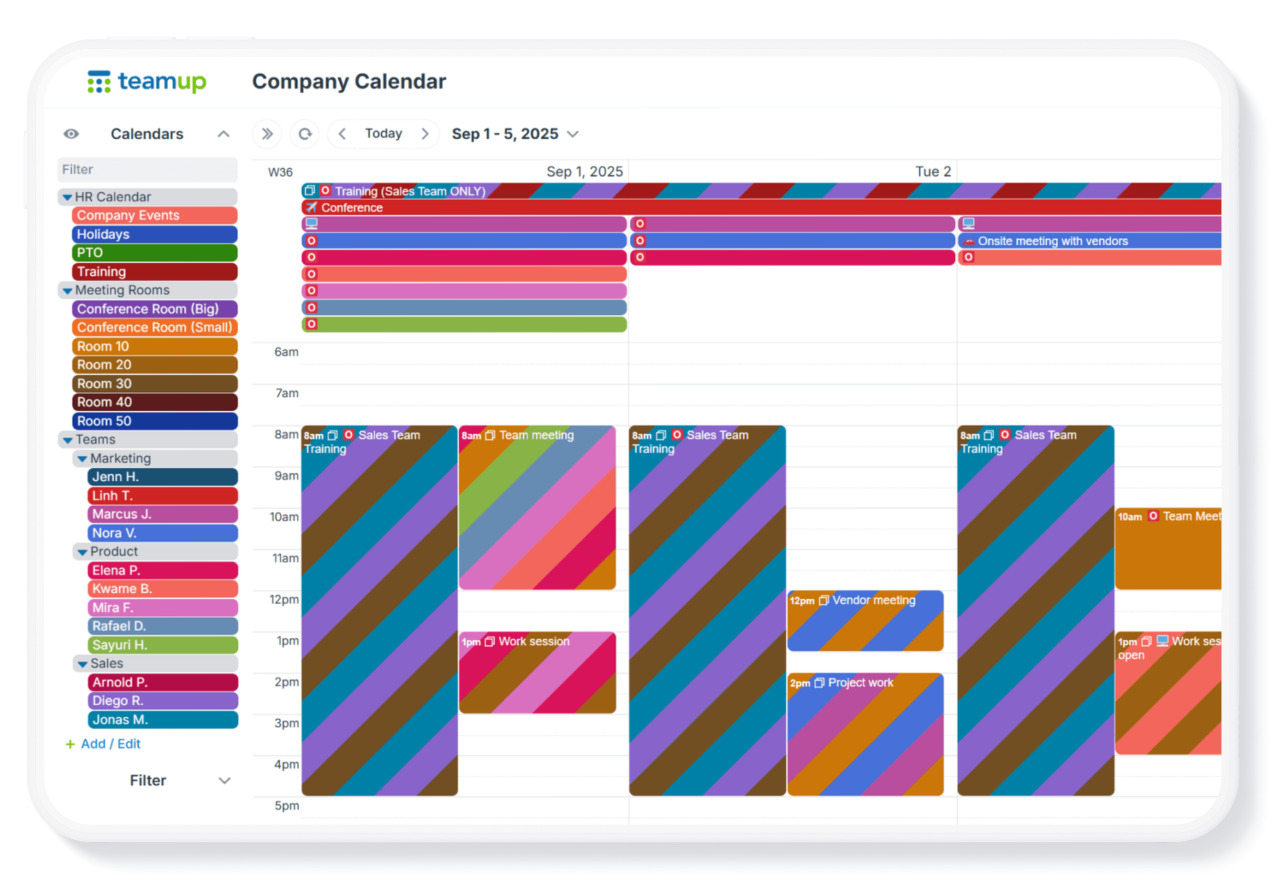
Click to enlarge: A comprehensive master calendar with multiple sub-calendars, providing a unified overview across teams and conference rooms.
Capture the details once, and keep them consistent
Scheduling isn’t just about time slots. Events often include important details such as status, type, notes, contact information, or reference data like order numbers.
Teamup lets you store and organize all relevant information directly alongside the events it belongs to, so that context is captured in one place and follows a consistent structure.
With event fields, you can define and standardize the information attached to each event. You choose which details to collect and ensure they’re captured the same way every time, regardless of who creates or updates the event. In addition to built-in event fields, Teamup offers multiple types of custom fields to support different kinds of information, such as text fields, number fields, and choice fields.
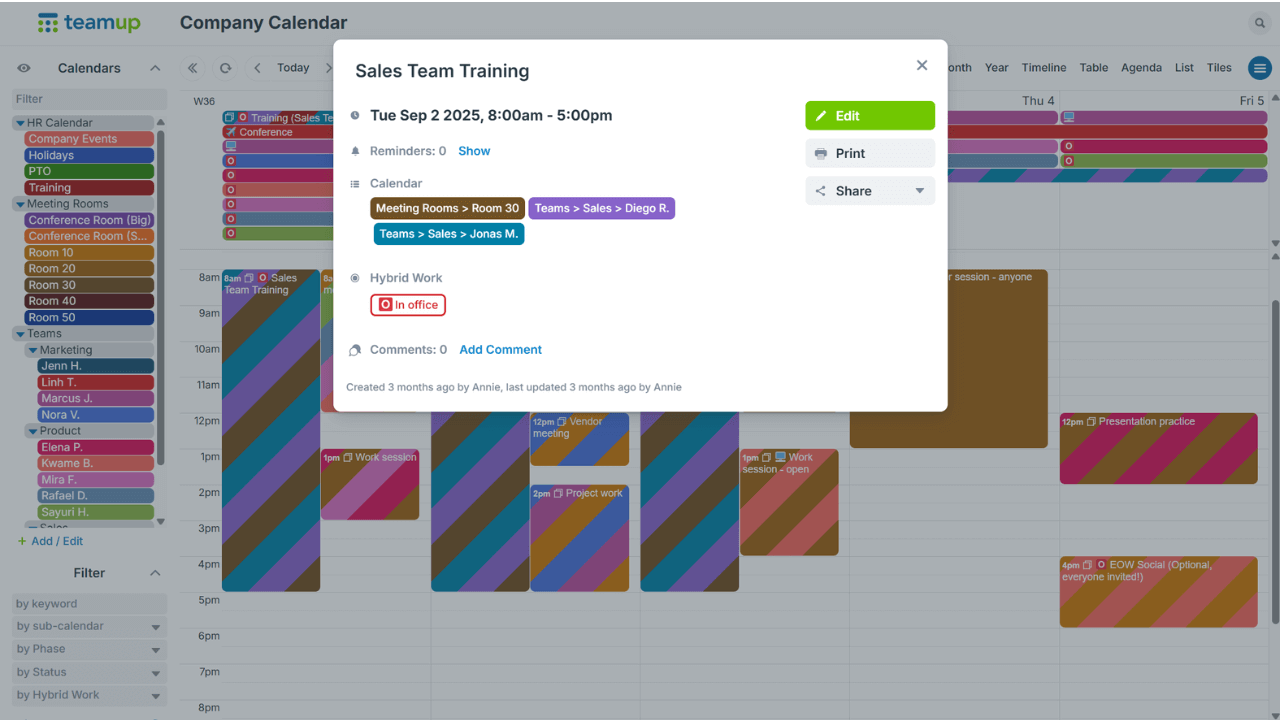
Click to enlarge: Custom fields ensure key information, such as status or work location, is consistently captured with every event.
Collaborate through one shared calendar, with controlled access
Across multiple teams or external partners, not everyone should have access to the entire calendar. With Teamup, you control who can view or modify events and which parts of the calendar they can access. This makes it possible to share the same calendar in different ways, depending on role or responsibility.
With a single master calendar, you can customize access and allow various departments and teams to see each other’s sub-calendars as needed. This way, they can plan meetings, share tasks, and more easily collaborate through the shared calendar. With advanced access permissions, you can allow departments to have Modify access permission for their own sub-calendars, and Read-only for the ones that belong to other departments or projects. This allows for an easy flow of information from one department to another. You can also enable event comments and set them to be visible for all users. This way, everyone can use event comments for discussion, even if they only have read-only permission for a particular sub-calendar.
Keeping everything in a single master calendar also means centralized control and efficiency. Calendar administrators can manage access, notifications, and calendar settings in one place.
Retrieve information fast
As a calendar grows, finding specific information can become just as important as seeing what’s scheduled. With everything in one master calendar, Teamup makes it easy to retrieve the information you need, without switching between different tools or tabs.
Use the built-in search to quickly jump to relevant events across the entire calendar. You can search by keywords or details attached to events.
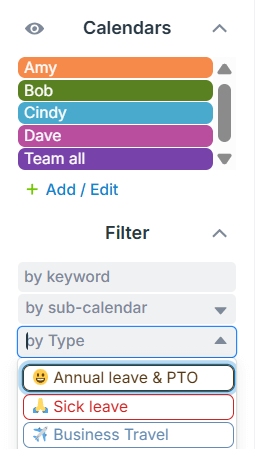
In addition, filters help you narrow down what’s visible in the master calendar. You can filter events by sub-calendar, keyword, custom event fields, or a combination, so you’re always working with the most relevant slice of information. There’s also a smart filter, above the sub-calendar list, that you can use to quickly find a specific sub-calendar. Just start typing in the title of the sub-calendar. The sub-calendar list will filter as you type, showing you the matching sub-calendar(s).
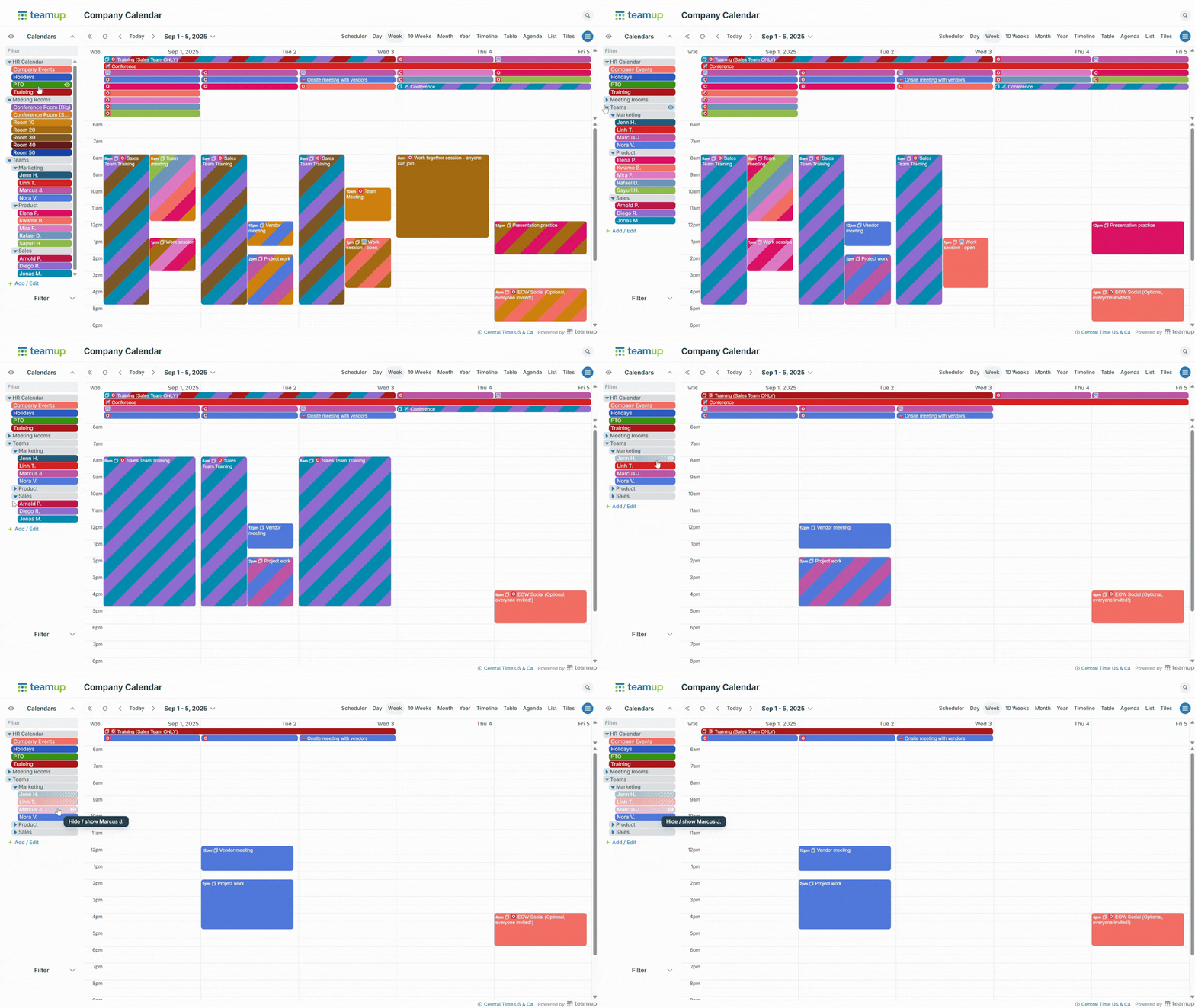
You can also quickly adjust what’s visible by toggling sub-calendars on or off. Simply click or tap the title bar of a sub-calendar to hide or show it. Use the eye icon to display only that sub-calendar. The same works for folders: expand or collapse them using the arrow, or use the eye icon to view only the sub-calendars within a selected folder.
Work with calendar data and export it easily
With everything in one master calendar, calendar data becomes easier to work with. Teamup’s Table view, with spreadsheet-like layout, turns your calendar in a working dataset to scan events, spot patterns, and check details without jumping between calendars or tools. For example, you can quickly review event statuses to understand project progress, check what’s completed or delayed, and take action based on up-to-date information. Administrative tasks become easier to manage: When you need to share information or create reports, you can export event data (including custom fields) as a CSV file. This helps with tracking, reporting, billing, or follow-up work.
More efficient shared scheduling
One master calendar keeps everyone aligned as complexity grows, with:
- One place to plan and update.
- Structure without fragmentation.
- Flexible access without siloed calendars.
As schedules expand, the solution isn’t to create more calendars, it’s to use the right structure and the right view. Sub-calendars, access permissions, search, filters, and table views let different people see what they need, without breaking the system into separate parts. With one shared source of truth, teams stay connected, information stays consistent, and scheduling remains manageable even at scale.