Learn how calendar administrators can keep access secure and up to date by reviewing permissions, account users and links, and checking notification subscriptions.
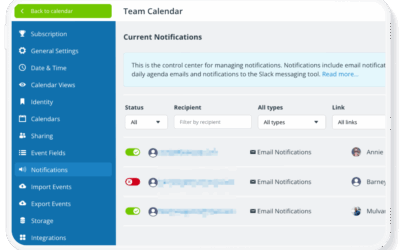

Learn how calendar administrators can keep access secure and up to date by reviewing permissions, account users and links, and checking notification subscriptions.
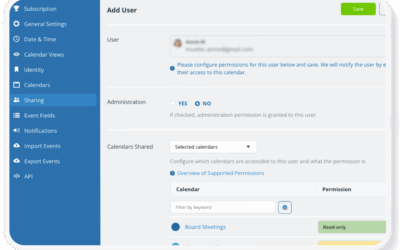
Learn how to set up your calendar securely with the right access permissions, administrator controls, account-based access, and sub-calendar permissions.
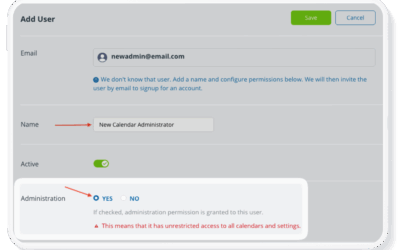
Administrator access provides full control of the entire calendar: Learn what it is, how to safeguard it, who should have it, and how to keep your calendar secure.
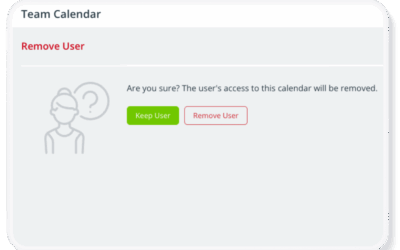
Learn the difference between sub-calendars and calendar users. You can manage access and remove users without losing their calendar data.
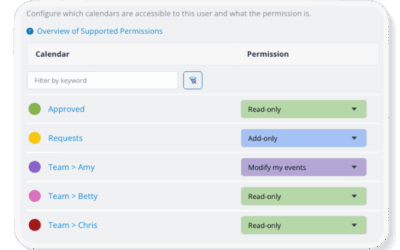
Learn the difference between Add-only and Modify-my-events calendar permissions, and when to use each to control how users add or edit events.
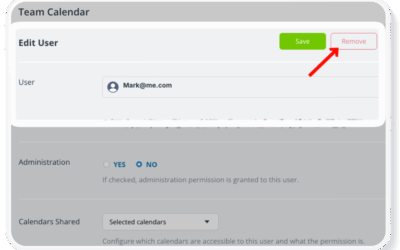
When an employee leaves, removing calendar access is essential to protect sensitive information and maintain continuity. Learn how to revoke permissions, replace shared links, manage notifications, and prevent future access risks.
Create a free Teamup user account to access your calendars in one dashboard, stay synced across web and mobile, set reminders and notifications, manage signups, share events between calendars, and receive Teamup updates in Slack.